Drupal Fail2Install: why 11.4.13 isn't enough
Drupal Fail2Install, CVE-2026-132165, lets someone without an account rerun Drupal's installer on a live site and take it over; Drupal says it has been exploited since 19 November 2026. A second flaw fixed on 25 November means 11.4.13, 11.3.22 and 10.6.22 are no longer enough. Install 11.4.14, 11.3.23 or 10.6.23, run update.php, and block install.php in the web server configuration.

Affected systems and impact
| Flaw | Affected systems | Impact |
|---|---|---|
| Fail2Install (CVE-2026-132165)The installer counts a database it cannot reach as a site that was never installed, so it can be reopened on a live site | Drupal 8.9 to 11 before 11.4.13, 11.3.22 and 10.6.22 | Takeover or code execution without an account; exploited on live sites since 19 November 2026 |
| CVE-2026-136716 (SA-CORE-2026-019)Sites in unusual or incomplete install states could still be taken over through the installer after the first fix | Releases before 11.4.14, 11.3.23 and 10.6.23; the fix also needs update.php | Site takeover; Drupal says attackers are using it |
| CVE-2026-132166 (SA-CORE-2026-018)A gadget chain in core that matters only if another flaw lets attackers pass data to unserialize() | Releases before 11.4.13, 11.3.22 and 10.6.22 | Not directly exploitable; it could turn a separate deserialization bug into code execution |
At 19:00 UTC on 19 November 2026, about 25 hours after Drupal published a fix, attackers began exploiting Drupal Fail2Install on live websites. The flaw sits in the installer, a page that ships with every Drupal site and stays reachable long after anyone needs it. Six days later, Drupal said its first fix had missed some sites.
Researchers at Searchlight Cyber gave the flaw its name and, on 24 November, showed how they turned it into code execution. The same day, the US Cybersecurity and Infrastructure Security Agency (CISA) gave federal agencies three days to fix it. Since 25 November, the versions most reports still recommend, 11.4.13, 11.3.22 and 10.6.22, are no longer enough.
This guide explains how the attack works and why it was possible. It then shows how to check a site's version, installer, files, logs and install state, how to tell whether a site was already hit, and how to block the installer so it stays blocked. Drupal's three blocking options were tested on Apache against a real Drupal 11.4.14 lab, and the checker written for this guide is open source.
What is Drupal Fail2Install?
Drupal Fail2Install is CVE-2026-132165, a flaw in Drupal core's installer that lets someone without an account rerun the installation on a live site, then take the site over or run code on the server.
Drupal fixed it on 18 November 2026 in SA-CORE-2026-017, with Drupal 11.4.13, 11.3.22 and 10.6.22. The advisory keeps the details short: under specific conditions, an attacker can use the installer to try to reinstall Drupal. Searchlight Cyber's write-up adds that Drupal 8.9, 9, 10 and 11 are affected. The name Fail2Install is Searchlight's; Drupal's advisory doesn't use it.
The same releases fixed a less serious bug, CVE-2026-132166, in SA-CORE-2026-018. It is a gadget chain in core that matters only if another flaw lets attackers pass data to PHP's unserialize(), so it is not directly exploitable.
Drupal credits the discovery to Anthropic's OSS Scanner, which reported the bug as ANT-2026-GMRPK0BU, and lists five people as reporters. Searchlight had confirmed its own working attack on 27 October, but its report turned out to be a duplicate. It published the technical analysis on 24 November, six days after the fix and five days after the first known attacks.
Drupal scores flaws out of 25 on its own risk scale. At release this one scored 18, which Drupal calls Critical. By 21 November the advisory carried a note: the Security Team had a report that the flaw "was exploited on live sites as early as 2026-11-19 19:00 UTC". The exploit field changed with it, which lifted the score to 20 and the label to Highly critical.
CISA added the flaw to its Known Exploited Vulnerabilities catalog on 24 November, with a due date of 27 November. It files the weakness under CWE-636, Not Failing Securely, and marks the entry for forensic triage. Agencies must check whether a site was compromised, not only patch it.
How does the Drupal Fail2Install attack work?
It tricks the installer into believing a live site was never installed: the attacker makes the site's database checks fail for a moment, reopens the installer, and installs a new site with an administrator account they control.
The chain has five links, and each one explains a defence later in this guide.
The installer starts with one question: is Drupal already installed? It answers by connecting to the database named in settings.php and looking for Drupal's tables.
From Drupal 8.9 on, a failed connection and a failed table check both count as "not installed". Searchlight found that Drupal 7 and Drupal 8 before 8.9 did the opposite. If settings.php held database settings, their installer stopped, whatever the database said. That older behaviour fails closed; CISA's CWE-636 label describes the newer one.
The attacker makes those checks fail on purpose by using up limits that all requests share. Searchlight used three: how many files one process may open, how many connections the database accepts, and the pool of local network ports a server uses to reach its database. Hitting any of them normally just causes an outage.
Timing matters, because the installer checks the database more than once. The early checks must fail and a later one must succeed, a sequence Searchlight sums up as "FAIL, FAIL, and then SUCCESS". When that race is won, the installer runs on a site that is live.
The attacker then fills in the installer's forms, and the site gets a new administrator. That alone is a takeover. For code execution, Searchlight used the installer's SQLite option, which lets the person installing choose where the database file goes and what it is called. A file named like a PHP script inside the web root can then hold attacker text, and on stock Apache Searchlight found a way past the rewrite rule meant to stop such files from running.
Drupal's advisory adds one detail that matters for defence. Some exploit paths, though not all, fail when the web server cannot write to settings.php or change its permissions. The installer writes the new site's database settings into that file, which is why its owner matters so much.
The two sides describe the reach differently. Drupal's score assumes only uncommon configurations are exploitable. Searchlight says it reached code execution on stock setups of Apache or PHP-FPM with MySQL or PostgreSQL, with PHP-FPM the hardest to hit. Plan for the worse of the two.
Why are Drupal 11.4.13, 11.3.22 and 10.6.22 not enough?
Because a second advisory, SA-CORE-2026-019, fixed another installer flaw on 25 November: sites in unusual or incomplete install states could still be taken over after the first fix, and attackers are using it.
SA-CORE-2026-019 covers CVE-2026-136716 and scores 21 out of 25. Drupal shipped 11.4.14, 11.3.23 and 10.6.23 between 16:57 and 17:49 UTC that day. The advisory warns that the user interface doesn't show whether a site is in the vulnerable state, and that a site already compromised may no longer be in it. Any site that left its installer reachable after the first advisory may have been compromised, it says.
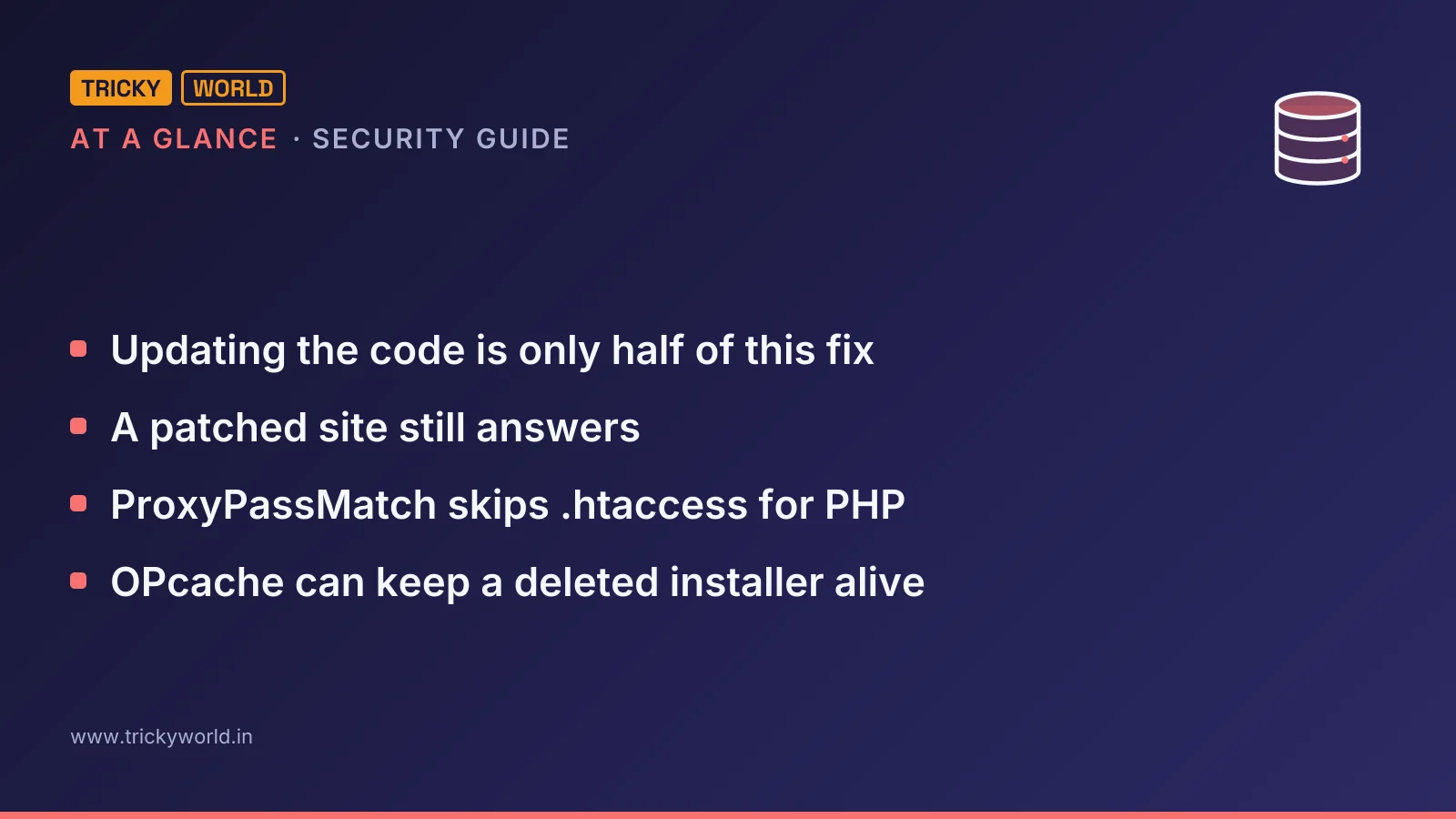
Updating the code is only half of this fix. An update hook, system_post_update_mark_installation_finished(), must run through update.php or drush updatedb. In Drupal 11.4.14's source, the hook sets the state value install_task to done and fills in install_time when it is missing. In our lab, updating an 11.4.13 site's code left the hook pending until drush updatedb ran it.
Drupal's own update feed now labels 11.4.13, 11.3.22 and 10.6.22 as insecure, so the Update Status module flags them. On our 11.4.13 lab, composer audit also listed SA-CORE-2026-019 and ten Twig advisories that 11.4.14 fixes by moving to Twig 3.31.1.
There is one more reason to check rather than assume. The first security releases broke the theme registry on some sites, with errors such as "Theme hook field not found", and the 11.4.13 release notes name the Search API module among those hit. Drupal fixed that in 11.4.14. A site that rolled back after seeing those errors is exposed to both flaws again.
Which Drupal versions are affected, and which are safe?
From Drupal 8.9 on, every release before 11.4.14, 11.3.23 and 10.6.23 is affected by at least one of the two flaws; Searchlight found Drupal 7 and Drupal 8 before 8.9 not affected by Fail2Install.
Drupal 11.4: update to 11.4.14. This branch gets security fixes until April 2027.
Drupal 11.3: update to 11.3.23. Its security coverage ends in December 2026, when 11.5 comes out.
Drupal 10.6: update to 10.6.23. Drupal 10's coverage ends in December 2026.
Drupal 11.0 to 11.2, 10.0 to 10.5, 9 and 8.9: affected, and no fix will come. Block the installer today, then upgrade to a supported branch.
Drupal 11.5.0-beta1 and 12.0.0-beta3: named as affected in the 16 November notice. Beta releases aren't covered by security advisories.
Drupal 7 and Drupal 8.0 to 8.8: not affected by Fail2Install, but end of life, so they get no fixes for anything else either.
Both advisories say sites on Drupal Steward, Drupal's protection service, were already shielded from the known attack paths. Drupal still tells those sites to update, in case new paths turn up.
What did early reports get wrong about Drupal Fail2Install?
Three things stand out: a CVSS score nobody has published, fixed versions that went out of date the same day, and a count of exploited Drupal flaws that mixes core with a contributed module.
The 9.8 score. News reports give Drupal Fail2Install a CVSS score of 9.8, but no source for it exists. When we checked on 26 November, the CVE record was still reserved, with no description or score, and NVD had no entry. Drupal's own rating, 20 out of 25, is the only published score.
The fixed versions. Reports from 25 November tell readers to install 11.4.13, 11.3.22 or 10.6.22. By that evening, Drupal had released newer versions and marked those three insecure.
"The third exploited Drupal flaw this year". The Hacker News counted CVE-2026-9082 and CVE-2026-118539 before this one, scoring both 6.5. CISA's catalogue lists two Drupal core flaws for 2026: CVE-2026-9082, a core SQL injection added in May that Drupal itself scored 9.8, and Fail2Install. CVE-2026-118539 is an authorisation flaw in Commerce Core, a contributed module, which we covered in October; it isn't in the catalogue. Since 25 November, Drupal reports a second exploited installer flaw as well.
"Exploit details emerge". The technical write-up didn't start the attacks. The first exploitation Drupal knows of dates from 19 November, five days before Searchlight published.
How can you check whether your Drupal site is vulnerable?
You need to check four things: the core version on disk, whether the installer answers from the internet, the install state that SA-CORE-2026-019 repairs, and whether PHP can rewrite settings.php.
Which version is running?
Ask Drush, then ask Composer which advisories still apply. Run both from the project folder.
drush status --field=drupal-version
composer audit
A safe site shows 11.4.14, 11.3.23 or 10.6.23 or later, and composer audit reports no advisories for drupal/core. Check the server that serves the site, not a laptop copy: a half-finished deploy can leave the old code running.
Does the installer answer from outside?
Run these from a machine outside your network, against the public address. The first three come from Drupal's Securing the installer page; the last two are the same file written in ways a weak rule can miss.
curl -I https://example.com/core/install.php
curl -IL https://example.com/install.php
curl -I https://example.com/core/install.php/foo
curl -I --path-as-is https://example.com/core//install.php
curl -I --path-as-is https://example.com/core/./install.php
Every line should end in 403 or 404. A 200 means the installer answers. On our patched Drupal 11.4.14 lab with no block in place, the installer answered 200 with Drupal's "Drupal already installed" page.
Is the install state complete?
These three commands read the state values that the second advisory is about.
drush state:get install_task
drush state:get install_time
drush updatedb:status
The first should print done and the second a Unix timestamp. If updatedb:status lists mark_installation_finished, the fix hasn't run yet. Write both values down before you run it, because the hook changes them when they are incomplete.
Can PHP rewrite settings.php?
Drupal compiles Twig templates into the public files folder as the user PHP runs as, so the owner of that folder tells you who PHP is.
stat -c '%A %U:%G %n' web/sites/default/settings.php web/sites/default
stat -c '%U %n' web/sites/default/files/php/twig
If the PHP user owns settings.php, read-only permissions don't help: a file's owner can always make it writable again. On our lab, Drush had set settings.php to read-only, yet PHP still owned it.
Run every check at once
We wrote fail2install-check to run all of the above, plus the file and log checks in the next section. It only reads, needs Python 3.10 or newer, and has no dependencies.
python3 -m f2icheck all /var/www/mysite --url https://example.com \
  --log /var/log/apache2/access.log* --web-user www-data
It passes 85 tests on Python 3.10 to 3.13, and four more against the real lab site. It reads settings.php as text before it runs Drush, and skips Drush when the file looks tampered with.
How do you tell whether a site was already compromised?
Look for the traces a reinstall leaves: a new or changed user 1, a recent install_time, rewritten database settings in settings.php, PHP-named database files, and accepted requests to install.php in the logs.
Save evidence first. Copy the logs, back up the database and files, and note the two state values, since the update changes them. Then work through the list.
User 1. The second advisory asks every site owner to check that user 1's email address is theirs and to consider resetting its password. A reinstall creates a new user 1, so a creation date after 18 November is a strong sign.
install_time. Drupal's
install_finished()stores the time an installation completes. A date after 18 November means the site was installed then, or the second advisory's hook filled in a missing value when you ran it.settings.php. The installer writes new database settings into it. Look for a second database block, an SQLite driver your site never used, or code that reads request data. Read the file before you run Drush, because Drush executes it.
Database files with PHP names. The published chain ends with an SQLite database saved under a .php name. A real PHP file has no reason to start with SQLite's header, so on a normal site this search should find nothing.
grep -rlaE --include='*.php' --include='*.phtml' --include='*.phar' \
  '^SQLite format 3' web/
In the logs, installer requests that weren't refused and any form submissions to the installer deserve a closer look.
zgrep -hiE '"[A-Z]+ [^"]*install\.php' /var/log/apache2/access.log* | grep -vE '" 40[34] '
zgrep -hiE '"POST [^"]*install\.php' /var/log/apache2/access.log*
Bursts of database errors such as "Too many connections" or "Cannot assign requested address" just before installer requests fit the attack's first step. The checker lines these up by the minute, and also lists PHP files outside Drupal's entry points that answered 200. If anything turns up, follow Drupal's guide for hacked sites before you patch over the evidence.
How do you block install.php so it stays blocked?
Block it in the web server configuration, which Drupal recommends and which held in every setup we tested; the .htaccess rule and deleting the file both have catches.
Apache
Add this to each virtual host that serves the site, including the HTTPS one, then run apachectl configtest and reload Apache.
<Location "/core/install.php">
  Require all denied
</Location>
It belongs in the server configuration, not in .htaccess. Apache doesn't allow Location sections in .htaccess and answers 500 to every request if you try.
Nginx
Drupal's page gives this rule for the HTTPS server block. We had no Nginx on the lab machine, so this one is Drupal's, untested by us.
location ^~ /core/install.php {
  return 404;
}
Don't use an exact match such as location = /core/install.php. On servers that pass any URL containing .php/ to PHP, it misses /core/install.php/foo, and the installer still runs.
Shared hosting with only .htaccess
This rule works on Apache when .htaccess applies to PHP requests. Keep it in a separate file that Composer's scaffold step appends, because composer install rewrites .htaccess every time.
<Files "install.php">
  Require all denied
</Files>
In composer.json, map [web-root]/.htaccess to that file under extra.drupal-scaffold.file-mapping with an append key, as Drupal's page shows.
Deleting the file
Composer restores core/install.php on every install or update, so the removal has to live in composer.json.
"scripts": {
  "post-install-cmd": ["rm -f web/core/install.php"],
  "post-update-cmd": ["rm -f web/core/install.php"]
}
A deploy that runs composer install --no-scripts skips this. On PHP-FPM, restart it after the file goes, for a reason the lab turned up.
What the lab showed
We served Drupal 11.4.14 with Apache 2.4.52 and PHP 8.3.36 in three common ways, then requested the installer under five spellings with each option in place.
Apache setup | No block | Server config | .htaccess | File deleted |
|---|---|---|---|---|
mod_php | 200 | 403 | 403 | 404 |
PHP-FPM via SetHandler | 200 | 403 | 403 | 404 |
PHP-FPM via ProxyPassMatch | 200 | 403 | 200 | 404 |
A patched site still answers. With no block, every setup returned 200 and the "Drupal already installed" page. The fix makes the installer refuse, but only a block stops it answering.
ProxyPassMatch skips .htaccess for PHP. Apache hands those requests to PHP-FPM before it reads any .htaccess, so the .htaccess rule did nothing. A harmless test script in sites/default/files and in modules also ran there, while the other two setups refused it with 403.
OPcache can keep a deleted installer alive. With
opcache.validate_timestamps=0, a common production setting, the deleted file kept answering 200 for at least 10 seconds and was gone by the 125-second check. Restarting PHP-FPM ended it at once; mod_php and default settings returned 404 straight away.
The scripts and full results are in the repository. Rerun the five curl lines after any change to confirm the block.
What else should you harden after updating?
Make sure PHP can't rewrite settings.php, that Apache hands PHP to PHP-FPM with SetHandler rather than ProxyPassMatch, and that Drupal's libraries update along with core.
Give settings.php to another user. Let a deploy user own it, with the PHP user's group able to read it, mode 440. Do the same for the sites/default folder, mode 550, so PHP can't swap in a new file.
Prefer SetHandler. The Apache configuration that Ubuntu's php8.3-fpm package installs uses a
FilesMatchblock withSetHandler, which keeps Drupal's .htaccess rules working. ProxyPassMatch setups lose them, as the lab showed.Update the libraries too. Drupal 11.4.14's release notes ask sites to update Symfony themselves. Updating with Composer's dependency flag did it in our lab, moving Symfony to 7.4.24 and Twig to 3.31.1.
composer update "drupal/core-*" --with-all-dependencies
drush updatedb
drush cache:rebuild
After a deploy, restart PHP-FPM so no worker keeps old code in memory, the same lesson as this autumn's PHP2Shell fixes. Keep any SQLite database outside the web root. Watch for database connection errors, which are now an attack signal as well as an outage. Our Drupal security guide covers the wider basics.
What does CISA's three-day deadline mean for everyone else?
It means CISA treats Drupal Fail2Install as a top-priority, already-exploited flaw: federal agencies had three days to fix it and must check for compromise first, and other organisations can borrow the same order.
The deadline comes from Binding Operational Directive 26-04, which brought two older directives together when CISA issued it on 10 June 2026. It ranks fixes by exposure, catalogue status, how automated exploitation is, and the damage after a break-in. In designated cases, agencies must check whether an attacker got in before the patch went on. The Fail2Install entry is one of those cases, and its ransomware use is listed as unknown.
Outside government, the order still makes sense for any public Drupal site. Check for traces, save evidence, update, then block the installer.
Why are Drupal security releases coming so often in 2026?
Drupal's security team says AI tools are flooding it with reports: core has had 19 security advisories in 2026 so far, against 8 in each of 2024 and 2025, and Fail2Install itself came from an AI scanner.
Anthropic launched OSS Scanner on 8 October 2026 as a free, opt-in service for open-source projects. Its reports are written by models with no human review first. Each comes with a reproducer, an explanation and, where possible, a candidate patch.
On 2 November, Drupal's PSA-2026-11-02 described a "tsunami" of security reports driven by AI tools, more than the team can sustain at current funding. From 2027, each minor version gets 8 months of security coverage instead of 12. Drupal 10 stays supported until December 2026, and Drupal 11 until December 2028.
For site owners, that means more releases and shorter windows. The installer is a good example of code worth removing from reach altogether, since Drupal's own page notes it has needed security fixes over the years. This autumn's PHP2Shell flaws showed the same pace one layer down.
What should you do today?
Block the installer, save evidence, update core and its libraries, run the database updates, then check user 1, settings.php and your logs.
Block
/core/install.phpin the web server configuration, and confirm with the five curl lines.Copy your logs, back up the database and files, and note
install_taskandinstall_time.Read settings.php for database blocks and code you didn't write.
Update to 11.4.14, 11.3.23 or 10.6.23 with
composer update "drupal/core-*" --with-all-dependencies.Run
drush updatedb, or update.php, and confirminstall_taskreadsdone.Check user 1's email, creation date and password, and look for PHP-named database files.
Make sure the PHP user doesn't own settings.php, and restart PHP-FPM.
If you run Drupal 11.3 or 10.6, plan the move to 11.4 before December 2026.
Drupal Fail2Install turned a routine outage into a way back into the installer, and the first fix left a side door open. A site is out of reach of both flaws when it runs a fixed release, the update hook has run, and nobody on the internet can reach install.php at all.
Frequently asked questions
Why does a new Drupal install now stop with a settings.php error?
Since 11.4.13, 11.3.22 and 10.6.22, the installer no longer tries to fix the permissions of settings.php itself. If the file isn't writable, it shows an error instead. Make the file writable for the installation, then make it read-only again. Existing sites aren't affected.
Does blocking install.php stop update.php or new installs?
No. update.php is a separate script, and Drupal's page warns not to block it with a broad rule; in our lab it kept its normal answer under every blocking option. New sites can be installed with drush site:install, which doesn't use install.php. To add a site to a multisite in the browser, allow only your own IP address for a short time.
My host says it manages security. Do I still need to act?
Check rather than assume. Drupal's page notes that some managed hosts already block the installer, so run the five curl checks: 403 or 404 on every line means a block is in place. Updating core and running update.php are still your job unless your host does them for you.
How can I tell whether my Apache server uses ProxyPassMatch?
Run apachectl -S to see which files define your sites, then search them and the conf-enabled folder for ProxyPassMatch. If PHP is passed to PHP-FPM with SetHandler inside a FilesMatch block instead, Drupal's .htaccess rules apply to PHP requests.

About the author
Vishal · Software & security engineerVishal writes Trickyworld's tutorials and interview-preparation guides on programming, databases, cyber security and AI. Vishal has been shipping production software long enough to have firm opinions about Python, PHP, Node.js, and JavaScript, and to have been wrong about each of them at least once. The work has run the whole stack: Drupal and Laravel applications, React front ends, MySQL and MongoDB underneath, Redis and Memcached for the things that had to be fast, Apache Solr for the things that had to be findable. That last part turned out to matter more than anyone expected. Tune a Solr index for a season, then watch a language model confidently retrieve the wrong document, and you recognise an old problem wearing new clothes. Most of what is hard about AI systems is not the model. It is retrieval, caching, latency budgets, and deciding what the system does when the answer comes back wrong — which is work he has been doing since well before anyone called it AI engineering. He plays a lot of games, which is less a hobby disclosure than an admission of where a good share of his engineering instinct came from. Real-time systems with a frame budget. State that has to stay coherent while a player does something no designer anticipated. The permanent question of what happens when the frame cannot finish in time. Those habits carry over more directly than they have any right to. He has written several books on programming, all built on the same conviction: most technical writing is unclear because the author never decided what to leave out. More from Vishal → · Editorial policy