ScreenConnect attack: SCKit and the RMM+ add-on
A blank password, not a ScreenConnect bug, let attackers into the consoles that managed service providers use to reach their clients, then push the SCKit toolkit to 493 machines in November's two waves. The way in was the third-party RMM+ extension, whose two latest versions accepted an empty access key, bypassing ScreenConnect's own accounts and MFA. Patching and disabling the extension close the door, but the attackers leave their own client behind.

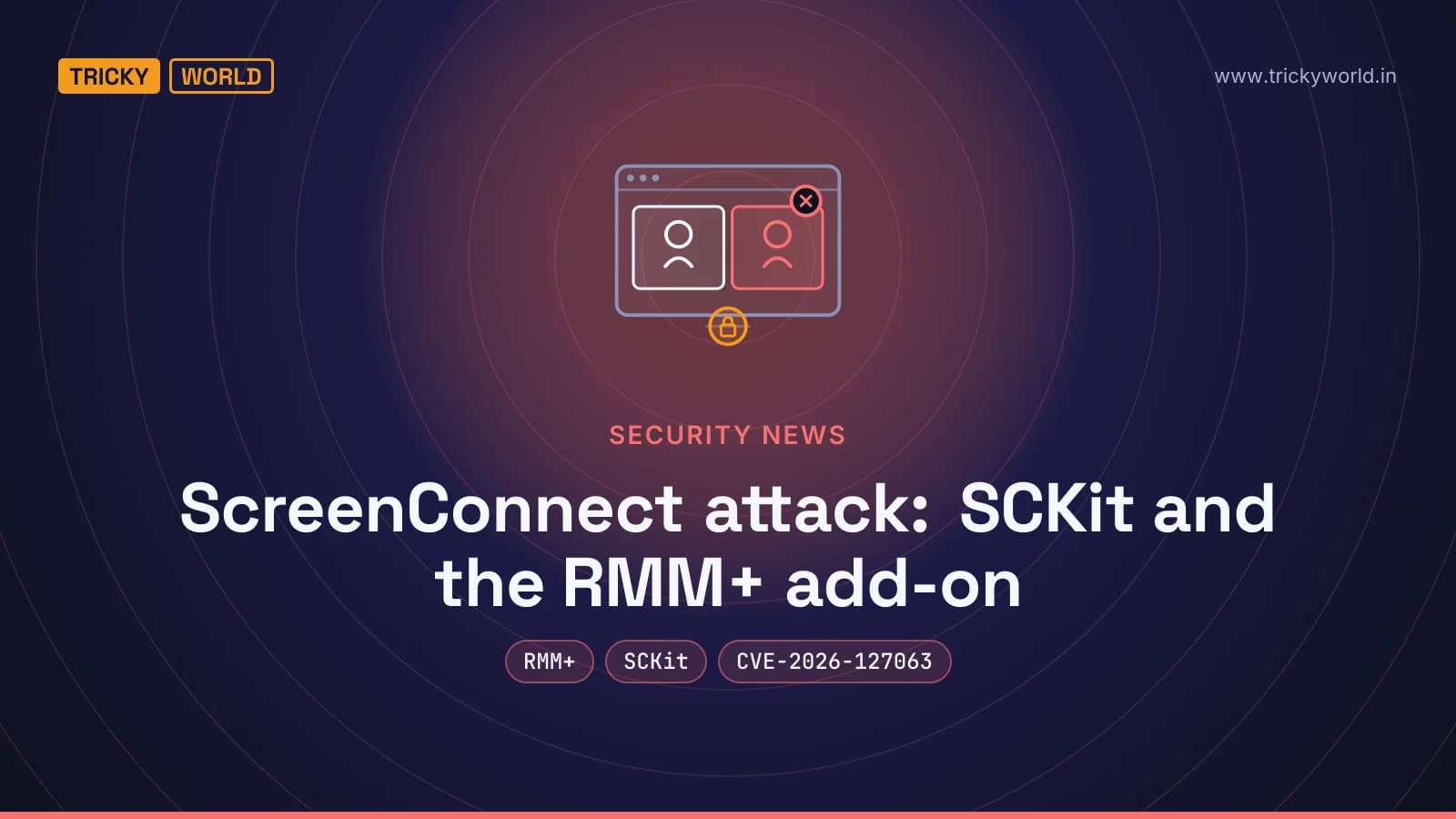
The ScreenConnect attack that started on 11 November 2026 numbered its victims. Each rogue installer carried a counter in its web address, and the count climbed fast: one managed service provider's console alone pushed the malware to 190 of its customers' machines. Huntress recorded 288 computers at 48 organisations hit in 90 minutes, then 205 more two days later. The way in was an add-on most victims had forgotten was switched on.
What is the ScreenConnect attack?
Someone with access to cloud-hosted ScreenConnect consoles used the tool's own Run Command feature to install a second, attacker-controlled client and the SCKit malware kit on every device those consoles managed. It came in two waves, on 11 and 13 November.
ScreenConnect, made by ConnectWise, is the remote-support software that managed service providers (MSPs) use to reach their clients' computers. Reach one MSP's console and you reach all of its customers at once, which is why Huntress saw "all 288 hosts impacted over the course of 90 minutes; with about one third of those in the first 10 minutes" after it first spotted the activity at 17:47 UTC on 11 November. ConnectWise published an advisory that night and disabled five third-party extensions across roughly 400 partner environments.
It recurred on 13 November. "On November 13 at 16:12 UTC, Huntress saw another spike in detections related to SCKit," the firm wrote in an update: 205 more hosts across 41 organisations. ConnectWise then raised its status to "immediate protective action required for on-premise environments", reporting activity "targeting on-premises environments, where the previously identified third-party extensions remain enabled". The numbered installers (one wave counted up to "Exploited809") suggest the attackers were tracking each victim, and that earlier, quieter rounds may not have been caught.
How did the attackers get in?
Through RMM+, a third-party ScreenConnect extension whose two most recent versions accepted a blank password, according to Huntress. ConnectWise has given the flaw the identifier CVE-2026-127063 but says the route into the consoles is still not confirmed.
RMM+ lets other software drive ScreenConnect sessions through an API, without a person signing in to the console. Huntress found that it "bypasses ScreenConnect's user accounts, roles, and MFA, and authenticates requests with a shared access key stored in the extension's settings." In versions 1.0.31 and 1.0.32 that key defaulted to blank, so the check "didn't reject an empty value". The setting even carries a note telling the administrator to choose a strong key; most never did. Huntress says the installs it saw were mostly legitimate, "usually added for a project and left in place".
The logs matched: "Commands reached endpoints across several ScreenConnect instances within minutes. There was no corresponding login activity." That is also why multi-factor authentication gave no protection here. The requests went through the extension, which never asked for it.
ConnectWise's advisory for CVE-2026-127063 describes the DataComm RMM+ extension as using "a static API secret by default" that administrators can change but often don't, and rates it 9.3 out of 10, critical. There is no fixed version; the only remedy is to turn the extension off. ConnectWise has removed it from its own cloud, but on-premises servers must be done by hand.
ConnectWise still will not call the extension the confirmed entry point. It says it has "found no evidence of a compromise of ConnectWise infrastructure or that initial access involved a ScreenConnect vulnerability", and is "assessing these findings". Blackpoint Cyber, which reverse-engineered the toolkit, adds that it "found no technical link between those extensions and SCKit". The two statements fit together: the extension is the suspected way in; SCKit is what runs after.
What makes this attack hard to clean up?
Three things make it hard. The attackers leave their own remote-access client behind. The kit reinstalls itself if it is not fully removed. And it is built to catch the very technician sent to investigate.
The rogue ScreenConnect client is the heart of this ScreenConnect attack. Because it is a real copy of ScreenConnect pointed at the attackers' own server, pulling the vulnerable extension or resetting passwords does not remove it. ConnectWise says this plainly: "Disabling extensions and resetting credentials alone may not remove unauthorized software, persistence mechanisms, or access already established on endpoints." Huntress warns that "Isolation alone does not remove the persistence, and affected systems have been observed reinfecting shortly after isolation was lifted."
The nastier trick is aimed at responders. SCKit's "RelayTrap" component waits for a technician to open the infected machine over ScreenConnect, then tries to turn that connection around against the technician's own workstation, steal the login cookie for their console, and reach the other customers that console manages. Both firms stress that they have not seen this spread succeed: "We have not observed that method to spread work successfully. The console-takeover attempt failed in every recovered host log we have checked so far," Huntress wrote.
That spread technique relies on a ScreenConnect client flaw, CVE-2026-84869, which ConnectWise fixed in version 26.6.5 on 8 September 2026. CISA added it to its Known Exploited Vulnerabilities catalogue the same month. The patch works. Blackpoint "confirmed that testing against a fully patched ScreenConnect client successfully prevents execution". The catch is that updating the console does not update the technician clients; those have to be updated separately.
One small detail says a lot about 2026: Huntress notes that the kit's trap code "appears to have been generated by an LLM, based on the detailed source code references and comments that explain exactly what it is intended to do."
How do you check whether SCKit reached you?
Look in three places: the managed endpoints, the ScreenConnect server, and your console's command history. To make that quicker I wrote sckit_hunt.py, a single Python file that checks all three against the indicators ConnectWise, Huntress, Blackpoint and Sophos published. It only reads; it changes nothing.
python3 sckit_hunt.py --root C:\                         # a managed Windows endpoint
python3 sckit_hunt.py --server "C:\Program Files (x86)\ScreenConnect"   # an on-premises server
python3 sckit_hunt.py --logs audit.csv --no-ips         # a console audit export
On an endpoint it looks for the kit's persistence folder, its scheduled task, its staging files, and a second ScreenConnect client, flagging the two published rogue client IDs and listing any client not on an allow list you supply. On a server it reads the App_Extensions folder and flags any extension from ConnectWise's disabled list, including the three added on 13 November. On a log it searches for the published addresses, file names and the numbered installer URLs, printing addresses defanged so the output is safe to share. Run it over an audit export and it reports the entry line and nothing else:
[HIGH  ] 185.99.255[.]28: attacker ScreenConnect server (serves the client installer)
         at audit.csv:1
[HIGH  ] installer URL with c=Exploited<N> (the campaign's numbered victims)
         at audit.csv:1
Run it from your endpoint-protection tool's live-response feature, over WinRM, or against a mounted disk image. Do not open a suspected machine over ScreenConnect to run it: that connection is exactly what RelayTrap waits for.
A clean result lowers the odds but does not clear a machine.
Huntress notes that the scripts are rebuilt per victim and the trap is compiled on each host, so names and file hashes change. ConnectWise says the same of its own list: "An absence of matches does not rule out compromise." That is the shape of this ScreenConnect attack: the indicators move, so a tool is a first pass, not a verdict.
What should you do right now?
ConnectWise, Huntress and Blackpoint give the same steps, in this order:
Disable the RMM+ family extensions. On-premises servers must do this by hand: Labtech Plus, RMM Plus, RMM+, RMM Plus Password Link, RMM+ Password Link, plus ITBoost Integration, RepairShopr Integration and Guest Session Starter, which ConnectWise added on 13 November. Do not re-enable them.
Update every technician client to 26.6.5 or later. Check each workstation; updating the server or cloud console does not update the clients.
Do not investigate over ScreenConnect. Use endpoint-protection live response, WinRM or another out-of-band tool. Treat any technician workstation that already connected to a suspect machine as exposed, and work on it from a clean device.
Revoke sessions and rotate credentials from a trusted device. End active ScreenConnect and identity-provider sessions, reset passwords and enforce MFA. A password reset alone does not end a session already open.
Remove the rogue client and its persistence before returning a machine to service, and keep it isolated until then. Preserve the Run Command, Toolbox, extension-installation and authentication records first.
Why does this keep happening to ScreenConnect?
Because remote-access tools are high-value by design, and ScreenConnect in particular has been hit repeatedly. CISA's exploited-vulnerabilities catalogue lists four ScreenConnect flaws since 2024, including February 2024's authentication bypass and September 2026's file-transfer flaw. Last month Microsoft tied a separate ConnectWise supply-chain attack to the China-aligned group Storm-0940, which used the ARTEX AI framework to automate it, as we covered in the ARTEX attacks on over 200 organisations.
The lesson of this one is narrower and more useful: the weak point was not ScreenConnect's code but an add-on bolted onto it, shipping with a blank password and left running long after the project that needed it ended. Every remote-management platform collects extensions like that. The same habits that catch other remote-access abuse apply here, from watching for a second client that should not exist to treating a support tool as a path attackers want, which our guides to remote-access trojans built on legitimate agents and attacks on administrator access both cover. The one job for this week is simpler: find every extension on your remote-support server, and make sure each one still has a reason to be there and a password that is not blank.
Frequently asked questions
Is my ScreenConnect at risk if I never installed RMM+?
The entry point in this campaign was the RMM+ extension family, so a server without those extensions was not exposed through that route. But ConnectWise still urges every partner to update technician clients to 26.6.5 or later and to watch consoles for unexpected Run Command activity, because a stolen operator session would not need the extension.
Does disabling RMM+ remove the malware?
No. Disabling the extension or resetting passwords closes the suspected way in, but the attackers install their own ScreenConnect client that keeps working afterwards. ConnectWise says disabling extensions and resetting credentials alone 'may not remove unauthorized software, persistence mechanisms, or access already established on endpoints.'
Why can't I just investigate the machine over ScreenConnect?
Because SCKit's RelayTrap component is built to infect the technician who connects. It tries to turn that session against the technician's own workstation and steal their console cookie. Use endpoint-protection live response, WinRM or another out-of-band tool, and treat any workstation that already connected as exposed.
Was a ScreenConnect vulnerability exploited?
The spread-to-technician step relies on CVE-2026-84869, a client flaw ConnectWise patched on 8 September 2026; researchers confirmed the patch blocks it and have not seen that spread succeed. The initial access came through the third-party RMM+ extension (CVE-2026-127063), not ScreenConnect's own code, per ConnectWise.

About the author
Vishal · Software & security engineerVishal writes Trickyworld's tutorials and interview-preparation guides on programming, databases, cyber security and AI. Vishal has been shipping production software long enough to have firm opinions about Python, PHP, Node.js, and JavaScript, and to have been wrong about each of them at least once. The work has run the whole stack: Drupal and Laravel applications, React front ends, MySQL and MongoDB underneath, Redis and Memcached for the things that had to be fast, Apache Solr for the things that had to be findable. That last part turned out to matter more than anyone expected. Tune a Solr index for a season, then watch a language model confidently retrieve the wrong document, and you recognise an old problem wearing new clothes. Most of what is hard about AI systems is not the model. It is retrieval, caching, latency budgets, and deciding what the system does when the answer comes back wrong — which is work he has been doing since well before anyone called it AI engineering. He plays a lot of games, which is less a hobby disclosure than an admission of where a good share of his engineering instinct came from. Real-time systems with a frame budget. State that has to stay coherent while a player does something no designer anticipated. The permanent question of what happens when the frame cannot finish in time. Those habits carry over more directly than they have any right to. He has written several books on programming, all built on the same conviction: most technical writing is unclear because the author never decided what to leave out. More from Vishal → · Editorial policy