Is Your Ollama Server Serving Strangers?
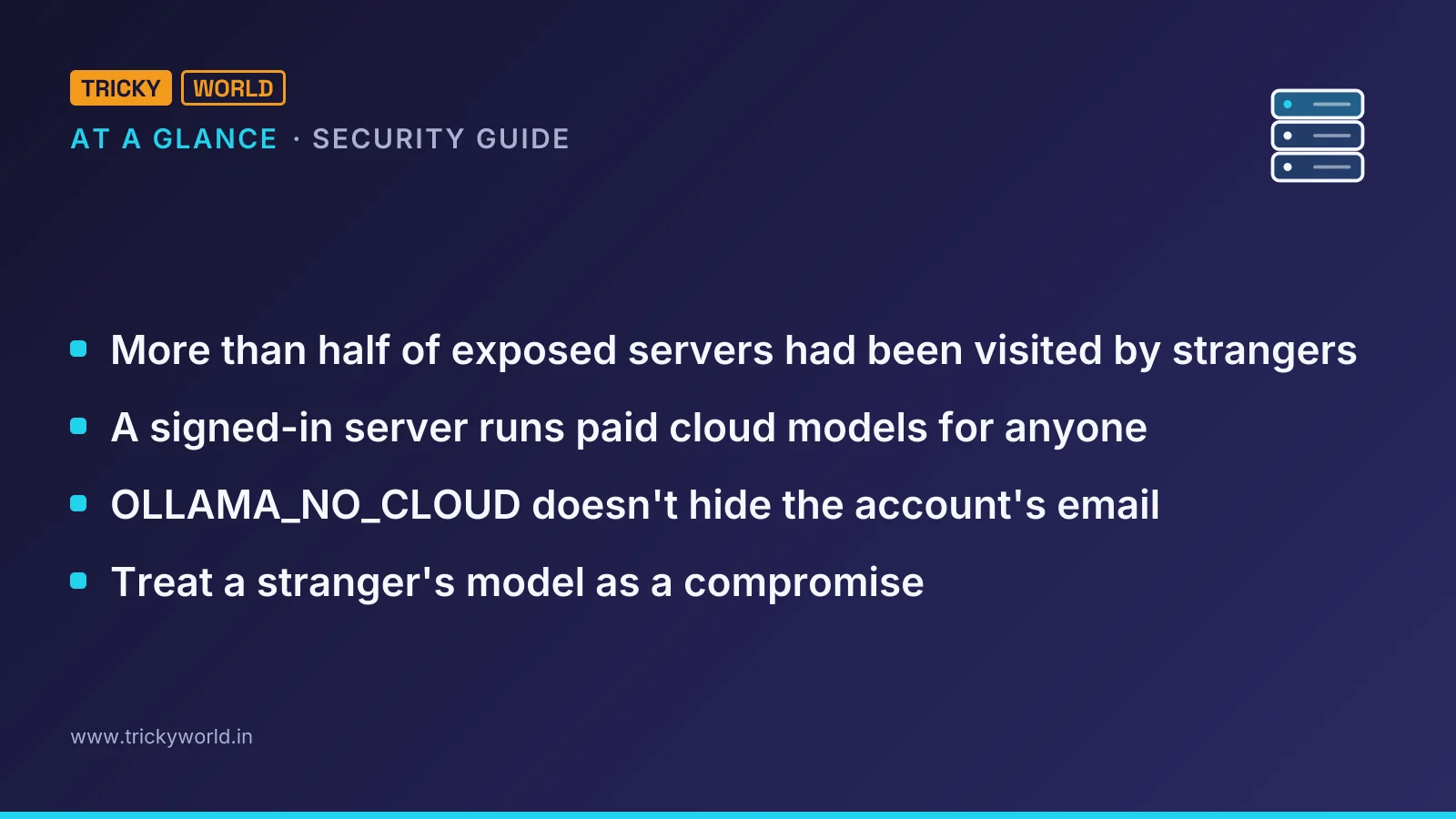
Rapid7 found signs of strangers on 54.8% of the 7,675 exposed Ollama servers in its sample, from callback pulls to names that decode to /etc/shadow. Ollama's local API has no login, so a signed-in server runs paid cloud models for anyone and, in 0.40.18's code, gives away the account's email, balance and usage. Keep Ollama on 127.0.0.1, put a password-protected proxy in front of remote access, and treat a stranger's model as a compromise.

Affected systems and impact
| Flaw | Affected systems | Impact |
|---|---|---|
| Ollama local APINo authentication on any endpoint, including pull, copy, create and push | Every Ollama version that listens beyond 127.0.0.1 or sits behind an open tunnel or proxy | Strangers list and add models, make the server call them back and use its hardware |
| Signed-in serverCloud and account requests are signed with the server's own key for any caller | Servers signed in to ollama.com; /api/me and /api/signout answer even with OLLAMA_NO_CLOUD=1 | Cloud models run on the owner's credits; the account's email, plan, balance and usage leak |
| CVE-2026-103663Path traversal in /api/pull layer digests | Ollama from 0.14.3 until the fix in 0.35.0 | A file written outside the model store; in most Ollama Docker images it runs as root at the next restart |
On 10 November, Rapid7 sent one harmless request to 20,354 internet addresses. Every Ollama server among them answered with its list of models, and thousands of those lists read like a guestbook. Models had been named after IP addresses, stamped with the server's own address, or given Base64 names that decode to /etc/shadow.
Christiaan Beek, the Rapid7 researcher behind the scan, calls the model list "something close to a visitors' log". In his sample, more than half of exposed servers had been visited by strangers, and 79% listed at least one of Ollama's paid cloud models. Ollama's documentation explains why the second number matters: a signed-in server runs paid cloud models for anyone who can reach it, on its owner's account.
This guide covers what Rapid7 found, how strangers use an open server, and what a signed-in server gives away, including several things Ollama 0.40.18's source code shows that its API documentation doesn't. It then shows how to check your own server with a free tool and how to lock it down. Ollama's latest release, 0.40.18 of 24 November, adds no login, and neither does the release candidate of 26 November.
What did Rapid7 find on exposed Ollama servers?
Rapid7 found signs of strangers in the model lists of 54.8% of the 7,675 exposed Ollama servers in its sample, and 79% of them listed at least one cloud model that runs on Ollama's paid service.
The report, "Open by Default, Already Occupied", was published on 18 November and appeared in The Hacker News' weekly bulletin on 26 November. The report rests on a single snapshot from that day. On 10 November, Rapid7 sent a single read-only request per service to 20,354 pre-selected IPv4 addresses on seven ports. For Ollama, that request was /api/tags, which lists every model on the server. Nothing was written, and no model was run.
Some coverage calls this a scan of 20,354 servers. It was a scan of that many addresses, and 7,675 of them answered as real Ollama servers once Rapid7 removed likely honeypots. Beek is careful about the limits. The address list was pre-selected, so the totals are "a sample of a much larger population, not a census". The signs of visitors come from model names alone, and names can be deleted, so the share is a lower bound.
Here is what the 7,675 model lists held:
Any sign of a third party: 54.8%, or 4,209 servers.
Marker or "I was here" models: 40.3%, or 3,091 servers.
Models pulled from a registry other than Ollama's: 34.7%, or 2,666 servers.
Pulls from a raw IP address and port: 23.7%, or 1,817 servers.
Pulls through a free tunnel or throwaway registry: 22.4%, or 1,721 servers.
Models named gpt-4o, gpt-4 and claude-3-opus: 15.5%, or 1,190 servers.
Names hiding encoded file paths: 0.7%, or 55 servers.
Another 712 model names carried the IP address of the server they sat on. Some markers dated from June and were still in place on 10 November. As Beek puts it, when a stranger's model sits on your server for five months, the main problem "is that nobody owns the server".
Germany led with 1,306 exposed Ollama servers, ahead of China with 1,130 and the United States with 1,097. India came fifth, with 301 exposed servers. Across all the exposed AI services in the scan, about 65% of hosts sat in hosting or cloud networks, and six providers held 42%: OVHcloud, Hetzner, Contabo, Oracle Cloud, Tencent Cloud and DigitalOcean.
Exposure itself isn't new. In September 2025, Cisco researchers found 1,139 exposed Ollama instances through Shodan, 214 of them answering with live models. Rapid7 added the second question: who has already used them.
How do strangers use an open Ollama server?
They use the API exactly as Ollama built it: list the models, make the server pull from an address they control, then copy or create models to mark it, with no exploit needed.
Rapid7 reconstructed five steps from the model lists:
Find: scan the internet for port 11434 and its neighbours.
List: read /api/tags, which shows the models, the cloud routing and earlier visitors.
Call back: make the server pull a model from an IP address or tunnel the visitor controls.
Mark: copy or create a model named after the host, as proof of write access and a claim flag.
Reach: craft manifests that point at local files, secrets and keys, or ride the owner's cloud account.
The callback is the clever part. Ollama will pull a model from any registry a caller names. "When a server pulls from an address you control, it calls you back," Beek writes, which confirms the server is reachable, writable and able to make outbound connections. He calls it "classic server-side request forgery, offered as a feature". The call also gives the server away. Ollama 0.40.18's source puts its own version, CPU type and operating system in the user agent of these requests, so the visitor learns all three.
The registries are cheap or free: Cloudflare Quick Tunnels, ttl.sh, bore.pub and Pinggy, plus a short list of IP addresses that turn up again and again. The same marker names repeat across servers too. Names such as zzvitals-beacon, verif_sys and ops-verify each turned up on hundreds of servers, and names ending in -copy-test show someone checking that the copy endpoint works.
The gpt-4o, gpt-4 and claude-3-opus trio almost always sat next to tinyllama. Rapid7's hypothesis is a tiny local model copied under premium names, either as a write test or as bait for the next visitor. Be careful with your own list, though. Ollama's OpenAI compatibility page suggests ollama cp llama3.2 gpt-3.5-turbo for tools that expect OpenAI's model names, so a name like that can be yours.
The encoded names were the most pointed. On 55 servers, Base64 or hex strings decoded to /etc/shadow, /etc/passwd, /proc/self/environ, Ollama's own service files, SSH authorized_keys files, AWS config, the Oracle Cloud metadata address and, on 10 servers, Ollama's private key. A few pointed at /etc/ld.so.preload and new service files, which are places to keep a foothold rather than files to read.
Rapid7 links these to Probllama, CVE-2024-37032, a path traversal through /api/pull that Ollama fixed in version 0.1.34 in May 2024. It also says the names prove intent, not success. A newer bug in the same endpoint gets no mention. CVE-2026-103663, published by CERT Polska on 8 October, affects versions from 0.14.3 until the fix in 0.35.0. A crafted layer digest writes a file outside the model store, and in most Ollama Docker images the server can write to /usr/lib/ollama, where such a file runs as root at the next restart.
Why do so many Ollama servers end up on the internet?
Ollama listens only on 127.0.0.1 by default, but its FAQ, its Docker command and its two tunnel recipes each open the port wider, and none of those instructions adds a login.
The Ollama FAQ answers its own question about exposing Ollama on a network in two lines: Ollama binds 127.0.0.1 port 11434 by default, and the OLLAMA_HOST variable changes that. Its systemd example sets OLLAMA_HOST=0.0.0.0:11434, which means every interface. The FAQ never mentions that the API has no authentication.
Docker adds a trap of its own. Ollama's Docker page runs the container with -p 11434:11434, which publishes the port on every interface of the host. Docker's documentation warns that traffic to a published port "gets diverted before it goes through the ufw firewall settings". So a ufw rule that blocks 11434 doesn't protect a Docker install. Publishing to 127.0.0.1:11434:11434 does, though Docker notes that before release 28.0.0, hosts on the same network segment could still reach such a port.
The tunnel recipes are the third route. The FAQ shows ngrok http 11434 --host-header="localhost:11434" and an equivalent cloudflared command. The cloudflared one creates a Cloudflare Quick Tunnel, and Cloudflare is blunt about those: "Anyone with the URL can access your local service."
The host-header flag is there for a reason. Ollama 0.40.18's source shows that a server bound to 127.0.0.1 refuses requests whose Host header isn't local, the kind of check that stops DNS rebinding. The tunnel commands rewrite the header, so traffic from the internet passes the check.
One claim going around needs correcting. Rapid7's 22.4% counts models that strangers pulled through tunnels and throwaway registries. Those were the visitors' tools, not the owners' way in, and Rapid7 doesn't say how owners exposed their servers. Quick Tunnels do appear on both sides: the FAQ's cloudflared command creates one, and so did many visitors. Attackers have used the same service for persistent access before.
Ollama's maintainers have chosen to leave the login to others. A request for basic auth or API keys opened in November 2023 was closed in December 2024 by Jeffrey Morgan, one of Ollama's founders. He wrote that the team keeps Ollama "focused on serving an http API that can be fronted by a number of proxy servers such as nginx, caddy and more". Yet the FAQ's own nginx example has no password in it.
Can a stranger run cloud models on your bill?
Yes, if the server is signed in to ollama.com: Ollama's documentation says the local API needs no authentication, and that a signed-in server runs cloud models through that same API.
The authentication page says it in two places. "The local API at http://localhost:11434 does not require authentication." After ollama signin, "Ollama then authenticates cloud requests for you", and this "also works through the local API". Put those together and Ollama's local API has no login, even for the paid features.
Rapid7 was more cautious. It called the billing risk an interpretation and didn't test inference. It also warned that a listed cloud model doesn't prove the server is signed in. The same seven cloud models appeared together on 1,295 unrelated servers, which looks like strangers pulling them to see which servers will serve them.
Ollama's documentation and code close the gap. Its cloud page says cloud models "do not need to be downloaded". In 0.40.18's source, a request for any model whose tag is cloud, or ends in -cloud, goes straight to ollama.com, signed with the server's own key. It makes no difference whether the model is in the list, so the risk is the sign-in, not the list.
Every token is paid for. According to Ollama's pricing page on 27 November, cloud models are billed per token from usage credits. Pro costs $20 a month and includes $60 of credits, and Max costs $100 and includes $300. Ollama spends the included credits first, then any credits you bought. Team accounts bill usage beyond their credits as they go, unless automatic usage billing is turned off.
The prices show how fast that goes. Kimi K3 costs $15 per million output tokens, so a visitor using only that model would spend a Pro plan's monthly $60 in 4 million output tokens. Pro and pay-as-you-go accounts get three concurrent requests, so a busy visitor also takes the owner's slots. Paid plans email a warning at 90% of the included usage, which may be the first sign.
What else does a signed-in Ollama server give away?
It gives away the account: Ollama 0.40.18's source code shows the server hands any caller the account's email, name and plan, its credit balance and usage, and lets anyone sign it out, with no password.
TrickyWorld read the server's route list in the 0.40.18 source. These endpoints sit on the same open port as the models:
POST /api/me asks ollama.com which account the server belongs to and returns the answer, including the account ID, email, name and plan. Ollama's desktop app shows the email from the same ollama.com call in its settings.
GET /api/balance and GET /api/usage return the account's remaining credits and its usage by model. Version 0.40.1 added them on 7 October, and the code comment reads "Use the account signed into this server, regardless of caller credentials".
POST /api/experimental/web_search and web_fetch run web searches and page fetches on the account.
POST /api/signout unlinks the server from the account, for whoever sends it.
GET /api/status tells anyone whether the cloud features are switched off.
Ollama's API documentation describes /api/balance and /api/usage only as ollama.com endpoints, and its cloud usage page says they "require an API key". It doesn't mention /api/me, /api/signout or /api/status at all. A server that isn't signed in leaks less, but its /api/me answer includes a sign-in link with the machine's hostname in it.
The usage endpoint cuts both ways. A stranger can read the owner's 30-day spend by model, and the owner can read it too, to spot models nobody at home ran. The checker below does that through your own server. TrickyWorld read all of this in the source; Ollama itself wasn't run for this article.
Does OLLAMA_NO_CLOUD stop the leak?
It does half the job: the switch blocks cloud models, web search, balance and usage requests, but 0.40.18's code doesn't check it for /api/me or /api/signout, so OLLAMA_NO_CLOUD doesn't hide the account's email.
The FAQ gives two ways to turn cloud features off. Set the environment variable OLLAMA_NO_CLOUD=1, or put {"disable_ollama_cloud": true} in ~/.ollama/server.json, then restart. For the Linux service, that home folder is /usr/share/ollama. Once it works, the log shows "Ollama cloud disabled: true", and blocked requests get an error that starts "ollama cloud is disabled".
Setting it stops the spending on the account. The account details still answer, because the server stays linked to the account. On an Ollama server other people can reach, run ollama signout as well, or never sign it in. Rapid7's advice is the same: don't sign a shared server into a personal or company cloud account unless it sits behind authentication and spend alerts.
Which Ollama versions are risky to expose?
Every version is risky without a login in front, because none has one, but versions before 0.35.0 also carry known path traversal and server-side request forgery bugs that a visitor can reach through the open API.
CVE-2024-28224: DNS rebinding let a web page reach the API, fixed in 0.1.29.
CVE-2024-37032 (Probllama): path traversal through /api/pull and /api/push, fixed in 0.1.34.
CVE-2026-7482: a heap over-read through /api/create, leaked out with /api/push, fixed in 0.17.1.
CVE-2026-103663: path traversal in /api/pull layer digests, from 0.14.3 until the fix in 0.35.0.
CVE-2026-85180: pulls followed redirects to internal hosts in 0.30.0 through 0.33.2.
CVE-2026-108836: server-side request forgery through crafted model names, fixed in 0.34.2.
None of these is in CISA's catalog of known exploited vulnerabilities, as of its 25 November edition. One more record can mislead. CVE-2025-63389 describes the missing authentication itself and lists versions up to 0.12.3. No later release added authentication, so that range doesn't mean newer versions are fixed.
The current release is 0.40.18, and its notes cover model speed-ups, not access control. TrickyWorld compared the server's routes and middleware in 0.40.18 with the 0.40.19 release candidate of 26 November, and they match.
How do you check if your Ollama server was visited?
Read the Ollama server's model list at /api/tags and look for names you didn't create, such as registry addresses, tunnel domains, marker words, your own IP or long encoded strings. A free checker does this for you.
The quick version is one command on the server: curl -s http://127.0.0.1:11434/api/tags. Rapid7's rule of thumb is simple. Anything prefixed with an IP address, a tunnel domain or ttl.sh, anything named beacon, verify, probe or pwn, and anything containing your own IP is a stranger's.
TrickyWorld's ollama-guest-check applies those rules and more. It needs Python 3.10 or newer and nothing else, and it only reads:
git clone https://github.com/vishal1610kamal/trickyworld_ollama_guest_check
cd trickyworld_ollama_guest_check
python3 -m guestcheck                        # this machine's Ollama
python3 -m guestcheck --usage                # plus 30 days of cloud spend
python3 -m guestcheck --save-baseline models.json
Besides the model list, it checks whether Ollama listens beyond localhost and whether it's signed in. It also reports what the account gives away, secrets in the service files (names only, never values), who can read the ollama.com key and known CVEs for the version.
Here is part of its report on a test server loaded with names modelled on Rapid7's published sample, with documentation IP addresses in place of real ones:
Listening  0.0.0.0:11434: reachable from other machines, not just this one
Cloud      on; signed in as a***@example.com, plan pro.
Models     28 listed: 10 left by strangers, 2 to check, 5 run on Ollama's cloud

STRANGER   pwn_ctl_203.0.113.10_ae52:latest  (2026-09-30)
           - marker word "pwn" in the name
           - carries this server's own IP address (203.0.113.10): someone's target list
STRANGER   quick-red-fox.trycloudflare.com/read/L2V0Yy9zaGFkb3c:latest  (2026-11-02)
           - pulled through a free tunnel or throwaway registry (trycloudflare.com)
           - hides a file path: /etc/shadow (credentials and keys)
For copies named gpt-4o or claude-3-opus, the checker compares digests. If a copy has the same digest as tinyllama, someone renamed a tiny model, and only you know whether that someone was you.
Ollama's request log helps too. Every call is logged with its address, and journalctl -u ollama --no-pager | python3 -m guestcheck logs - lists who pulled, copied or deleted models. Treat those logged addresses as claims, not facts. Ollama keeps its web framework's default of trusting any proxy, so a caller can set the logged address with an X-Forwarded-For header.
The kit passes 56 tests on Python 3.10 to 3.13. A real run against an Ollama 0.5.7 install, bound to localhost, found no visitors and flagged two known CVEs. A clean list doesn't prove a clean server, because names can be deleted. Save a baseline and run the check again from cron.
How do you lock down an Ollama server?
Keep the Ollama server on 127.0.0.1, reach it over SSH or a private network, and if it must face the internet, put an HTTPS proxy with a password in front that blocks the management endpoints.
Remove OLLAMA_HOST=0.0.0.0 from the service with
sudo systemctl edit ollama.service, then reload systemd and restart Ollama.For Docker, publish to the host only with
-p 127.0.0.1:11434:11434.From your laptop, use an SSH tunnel such as
ssh -N -L 11434:127.0.0.1:11434 you@server. Local agents, like those in this Google ADK guide, only ever need localhost.Turn cloud features off unless you use them, and keep shared servers signed out.
Limit outbound traffic to the registries you use, which turns a callback pull into a failed connection.
Update to 0.40.18, then log and alert on pull, create, copy, push and delete calls, as Rapid7 suggests.
When remote access is a must, the repository has two proxy configs. The Apache one passed six live tests against Apache 2.4.52, and the nginx one follows nginx's documentation but wasn't run here. Both ask for a password over HTTPS and refuse the model-management and account endpoints. Here is the core of the nginx version:
auth_basic           "Ollama";
auth_basic_user_file /etc/nginx/ollama.htpasswd;

location ~ ^/api/(pull|push|create|copy|delete|blobs|me|signout|user|balance|usage|experimental|codex)(/|$) {
    return 403;
}
location / {
    proxy_pass       http://127.0.0.1:11434;
    proxy_set_header Host localhost:11434;
    proxy_set_header X-Forwarded-For $remote_addr;
    proxy_buffering  off;
}
The Host line satisfies Ollama's local-only check, and the X-Forwarded-For line keeps its log honest. In the Apache test, a proxy that only appended the header passed "203.0.113.99, 127.0.0.1" to the backend, and with its framework's defaults Ollama logs the forged first address.
Tunnels need the same care. Cloudflare's --allowed-mail option adds an email PIN to a Quick Tunnel, but Cloudflare says it "does not support non-interactive clients", so it can't protect an API. ngrok's basic-auth traffic policy adds a password. For anything permanent, a private network beats both, as the zero trust approach argues.
What should you do if you find a stranger's model?
Treat a stranger's model as a compromise, not a misconfiguration, as Rapid7 advises: keep the evidence, cut access, unlink the ollama.com account, rotate every secret the Ollama server could read, and rebuild.
Save the evidence first: the checker's JSON output, the /api/tags list and the Ollama journal.
Close the port, stop any tunnel, or stop the service with
sudo systemctl stop ollama.Run
ollama signout, remove the server's key on ollama.com's Keys page, and look at the usage page for spend you don't recognise.Rotate every secret in the service's environment and unit files, plus cloud keys and SSH keys on the machine.
Rebuild rather than clean, pull models again from the official registry, and check /etc/ld.so.preload and the service files for anything you didn't add.
Rotation is the step people skip. Rapid7 saw encoded paths aimed at environment files, AWS config and Ollama's private key, and a key that leaked still works after you close the port. This guide to auditing API keys after a breach covers revoking keys and proving the old ones are dead.
Look beyond Ollama too. Rapid7 found embedding models on 28% of exposed servers, which suggests many are wired into pipelines that read internal documents. If yours is, the data behind it needs the same check.
Is Ollama going to add a login?
Not in any release so far: 0.40.18 and the 0.40.19 release candidate expose the same open routes, and Ollama's maintainers have said they prefer to leave authentication to proxies such as nginx and Caddy.
Interest in Ollama's cloud is rising all the same. Among searches related to Ollama in India over the 30 days to 27 November, "ollama cloud api key" rose 250% and "ollama free cloud models" rose 100%, according to Google Trends. Self-hosting is a fair answer to the privacy problems of free cloud APIs, as this look at who reads your prompts shows, but only if the server stays yours.
An Ollama server answers anyone who can reach it, and Rapid7's scan shows how many people already have. The fix costs an afternoon: keep the port local, put a password in front of anything remote, and read the model list once in a while.
Frequently asked questions
Does an Ollama API key protect my local server?
No. Ollama's API keys are for calling ollama.com's cloud API directly; the local server on port 11434 doesn't ask for one. Protect the local server with a proxy that asks for a password, or keep it on 127.0.0.1.
Does Open WebUI's login protect Ollama?
Only the web interface. Open WebUI talks to Ollama's API, and if Ollama itself listens on 0.0.0.0, anyone can skip Open WebUI and call port 11434 directly. Keep Ollama on 127.0.0.1, or on a private network that only Open WebUI can reach.
Does Ollama see my prompts when I use cloud models?
Ollama's cloud FAQ says it processes cloud prompts and responses only to answer them, under a zero data retention policy, and never stores, logs or trains on them. Prompts to local models stay on your machine.
Is it safe to run Ollama on a laptop on public Wi-Fi?
Yes with the default settings, because Ollama then listens only on 127.0.0.1. If you have set OLLAMA_HOST=0.0.0.0, everyone on the same network can use it without a password, so undo that before you connect.
Sources
- Write-upOpen by Default, Already Occupied: Threat Actors are Renting your Compute (Rapid7, 18 Nov 2026) · rapid7.com
- DocumentationAuthentication (Ollama documentation) · docs.ollama.com
- DocumentationFAQ (Ollama documentation) · docs.ollama.com
- Write-upPricing (Ollama) · ollama.com
- Write-upCVE-2026-103663: Path Traversal leading to Remote Code Execution in Ollama (CERT Polska, 8 Oct 2026) · cert.pl
- Codetrickyworld_ollama_guest_check (GitHub) · github.com

About the author
Vishal · Software & security engineerVishal writes Trickyworld's tutorials and interview-preparation guides on programming, databases, cyber security and AI. Vishal has been shipping production software long enough to have firm opinions about Python, PHP, Node.js, and JavaScript, and to have been wrong about each of them at least once. The work has run the whole stack: Drupal and Laravel applications, React front ends, MySQL and MongoDB underneath, Redis and Memcached for the things that had to be fast, Apache Solr for the things that had to be findable. That last part turned out to matter more than anyone expected. Tune a Solr index for a season, then watch a language model confidently retrieve the wrong document, and you recognise an old problem wearing new clothes. Most of what is hard about AI systems is not the model. It is retrieval, caching, latency budgets, and deciding what the system does when the answer comes back wrong — which is work he has been doing since well before anyone called it AI engineering. He plays a lot of games, which is less a hobby disclosure than an admission of where a good share of his engineering instinct came from. Real-time systems with a frame budget. State that has to stay coherent while a player does something no designer anticipated. The permanent question of what happens when the frame cannot finish in time. Those habits carry over more directly than they have any right to. He has written several books on programming, all built on the same conviction: most technical writing is unclear because the author never decided what to leave out. More from Vishal → · Editorial policy