Google ADK local agents: Two steps without an API key
Google ADK local agents use Ollama to turn a to-do list and post titles into a daily plan without an API key. The setup needs Python 3.11 or newer, google-adk 2.13.0, litellm 1.106.2 and an existing MCP notes server. Check tool results against the source material: the workflow can continue without tools and invent claims.
Summary written with AI from this article, and checked against it.

Two Python-based Google ADK local agents can read a to-do list and draft a daily plan on your laptop without an API key. Google’s Agent Development Kit (ADK) connects the researcher and writer through Ollama. The setup below pins the dependencies, builds the local workflow, and shows the tool calls you need to check before trusting what either agent says.
The walkthrough Two AI agents on a free laptop with Google ADK (67 lines, Python) reports a failure worth keeping in mind while building this: when its MCP server could not start, the model invented posts and claimed a file change that never happened. That is a problem even in a small experiment with tool-using agents. Plausible output does not establish that the tools worked. I’d treat reading the tool log as part of running this workflow, rather than something to do only when the final answer looks wrong.
Prepare Ollama and the existing notes server
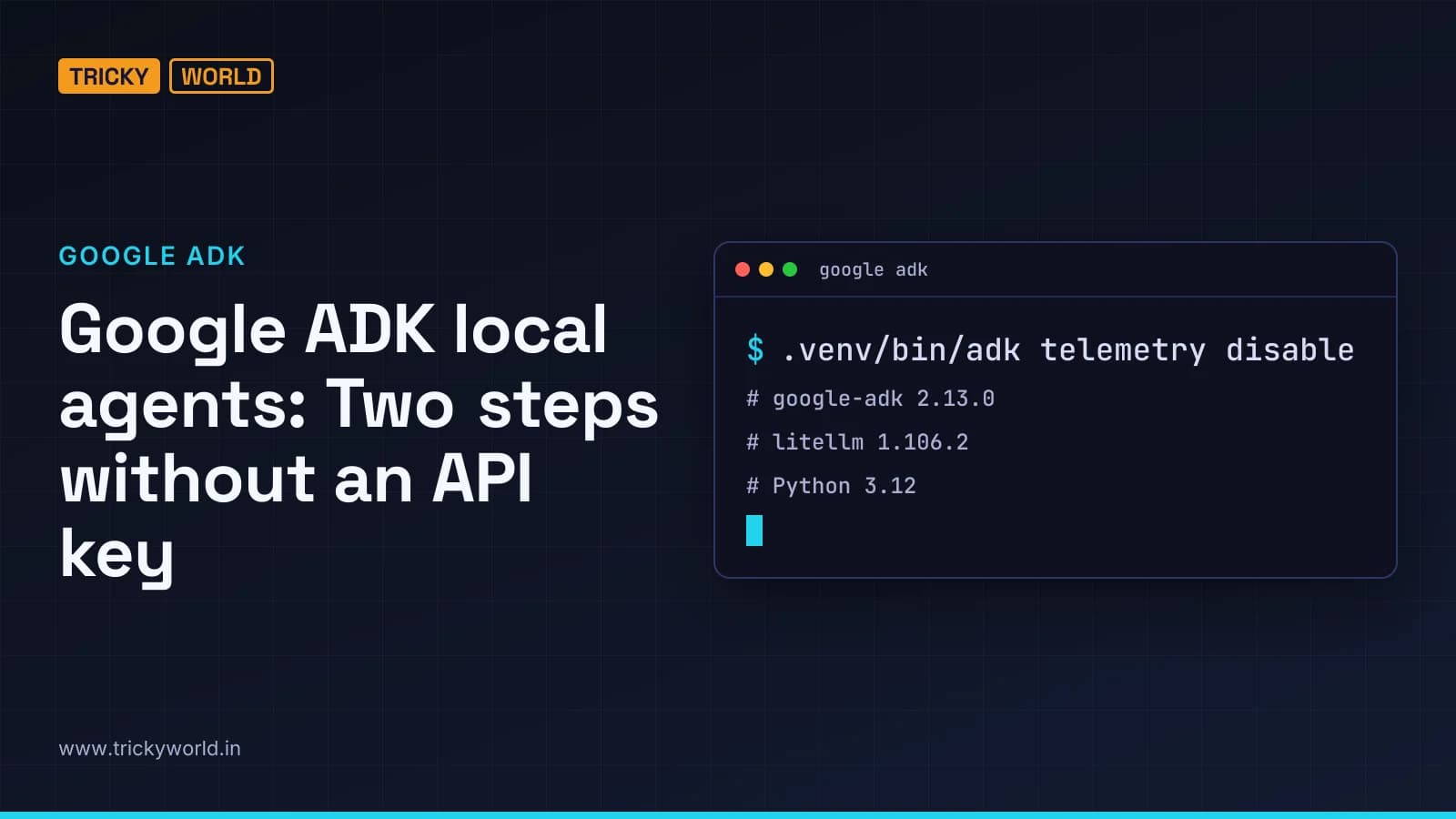
This setup uses google-adk 2.13.0 with litellm 1.106.2. You need Python 3.11 or newer; the environment command below selects Python 3.12. You also need uv available before running the environment and package commands.
ADK is Google’s open-source Python framework for building agents, licensed under Apache 2.0. Its graph-based workflow engine arrived in version 2.0 on 19 May 2026. For this example, the framework is pinned to the later 2.13.0 release from 23 October 2026, so the installed version is explicit rather than left to whichever release the package command selects.
Before creating the agent file, get the two services it depends on ready:
- Ollama must be running with
qwen3.5:4b-q4_K_Malready pulled. The Python client will connect to it athttp://localhost:11434. - The existing MCP notes server must live in
~/mcp-notes, with its interpreter at.venv/bin/pythonand its entry point atserver.py. That server must exposeread_noteandlatest_posts.
The researcher will use that server to request todo.txt and the three newest TrickyWorld posts. Its reply then goes to the writer, which turns the material into a plan. The agent file below does not download the model or implement the notes server; both need to be in place before you run it.
Before installing the agent, check the local model, then the server folder, interpreter and entry point.
Build Google ADK local agents with pinned packages
The dependency pins are there for a reason. The walkthrough cites LiteLLM’s incident post, which recommends 1.106.2 after a hijacked 1.107.0 release containing a credential stealer was available on PyPI for under two hours on 21 October 2026. ADK 2.13.0’s extras also cap LiteLLM below 1.106.3, so the version choice is not just a matter of keeping this example reproducible.
I’d keep both pins rather than swap in an untested combination for this example. The [mcp] extra has a separate job: MCP support has been optional since ADK 2.0, and the McpToolset import fails without it.
Create the workspace and the package initializer inside it.
mkdir -p ~/adk-notes/notes_agent && cd ~/adk-notes
printf 'from . import agent\n' > notes_agent/__init__.py
Create the Python environment, then install the pinned dependencies. Keep the binary-package flag used for Intel Macs in this command.
uv venv --python 3.12
uv pip install --only-binary cryptography "google-adk[mcp]==2.13.0" "litellm==1.106.2"
Disable ADK telemetry explicitly with ADK’s own command.
.venv/bin/adk telemetry disable
At ADK’s first-run telemetry question, pressing Enter means yes. Accepting the prompt’s default does not opt you out, so do not treat an unanswered prompt as a disabled setting.
Keep dependency installation and telemetry configuration as separate checks. Choosing a local model removes the need for a model API key in this example. It does not make the documented package incident irrelevant, and it does not change the telemetry prompt’s default to disabled.
Connect the researcher and writer in agent.py
ADK 2.0 added graph-based workflows. The graph here is START → researcher → writer: each step’s reply becomes the input to the next step. SequentialAgent still works, but it has been deprecated since 2.0. This example uses Workflow instead.
The supplied example leaves constructor calls unclosed. This version closes them so Python can parse the module, groups workflow construction into a function, and puts session creation inside the runner’s cleanup scope. Those changes are included in the file below.
Both agents use the same local model, but only the researcher gets the MCP toolset. Its instructions tell it to retrieve the note and post titles. The writer has no toolset and receives the researcher’s reply as its input. That intermediate reply is the part I’d inspect closely: if the researcher leaves out a task or invents a title, the writer is instructed to use those notes, not to go back and retrieve the underlying material again.
Save the following file as notes_agent/agent.py. It creates the two agents, runs their workflow, and prints their tool calls as well as their final replies, so the handoff is available to inspect.
import asyncio
import os
from pathlib import Path

from google.adk import Agent, Workflow
from google.adk.models.lite_llm import LiteLlm
from google.adk.runners import InMemoryRunner
from google.adk.tools.mcp_tool import McpToolset, StdioConnectionParams
from google.genai import types
from mcp import StdioServerParameters

def make_workflow():
    os.environ.setdefault("OLLAMA_API_BASE", "http://localhost:11434")
    local_model = LiteLlm(
        model="ollama_chat/qwen3.5:4b-q4_K_M",
        think=False,
    )

    server_dir = Path.home() / "mcp-notes"
    server_process = StdioServerParameters(
        command=str(server_dir / ".venv/bin/python"),
        args=[str(server_dir / "server.py")],
    )
    connection = StdioConnectionParams(
        server_params=server_process,
        timeout=60,
    )
    research_tools = McpToolset(
        connection_params=connection,
        tool_filter=["read_note", "latest_posts"],
    )

    researcher = Agent(
        name="researcher",
        model=local_model,
        instruction=(
            "Call read_note with name todo.txt, then call latest_posts with limit 3. "
            "Then reply with the todo list and the 3 post titles. Nothing else."
        ),
        tools=[research_tools],
    )
    writer = Agent(
        name="writer",
        model=local_model,
        instruction=(
            "You get a researcher's notes. Turn them into a plan for today: "
            "exactly 3 short numbered lines, using only those notes."
        ),
    )
    return Workflow(
        name="notes_agent",
        edges=[("START", researcher, writer)],
    )

root_agent = make_workflow()

async def main():
    runner = InMemoryRunner(node=root_agent, app_name="notes_agent")
    try:
        session = await runner.session_service.create_session(
            app_name="notes_agent", user_id="me"
        )
        request = types.Content(
            role="user",
            parts=[types.Part(text="Plan my day.")],
        )
        async for event in runner.run_async(
            user_id="me",
            session_id=session.id,
            new_message=request,
        ):
            for call in event.get_function_calls():
                print(f"{event.author} -> {call.name}: {call.args}")

            if event.is_final_response() and event.content and event.content.parts:
                answer = "".join(
                    part.text or ""
                    for part in event.content.parts
                    if not part.thought
                )
                if answer.strip():
                    print(f"\n{event.author}:\n{answer.strip()}\n")
    finally:
        await runner.close()

if __name__ == "__main__":
    asyncio.run(main())
Keep the ollama_chat/ prefix in the model name. ADK’s documentation warns that plain ollama/ can get stuck calling tools repeatedly. The other model setting, think=False, asks Qwen to skip its thinking step and reduces the token work requested from a CPU.
The MCP connection has a 60-second timeout rather than the five-second default. This is not just a server-startup setting: it limits every tool call too. At cleanup, runner.close() also stops the MCP server process that the toolset started.
For startup failures, check which interpreter the server command actually names. It uses the one inside ~/mcp-notes, not the agent’s interpreter inside ~/adk-notes, so both paths matter. The Ollama address has a similar detail to watch: setdefault supplies it only if OLLAMA_API_BASE is not already set. Any existing value is retained rather than replaced by the address in this file.
Run the plan and inspect the tool calls
From ~/adk-notes, run the script with the interpreter in the environment you created.
.venv/bin/python notes_agent/agent.pyThe writer’s final text is only part of the useful output from these Google ADK local agents. The script also prints the agent name, tool name and arguments for each function call. Those details give you something to check against the task, instead of having to infer tool use from the plan’s wording.
Look for the researcher calling
read_notewithtodo.txtandlatest_postswith a limit of three. Before accepting the generated summary, read any warnings about server startup.Check the arguments, not just whether the tool names appear somewhere in the output. The requested note and post limit define what the researcher was supposed to retrieve. A printed tool call is not, on its own, proof that the tool returned the expected material.
Compare the researcher’s reply with the actual note and the returned post titles. Then check the writer’s reply: it should contain three short numbered lines based on those notes.
Do that comparison before judging whether the plan sounds helpful. The researcher was asked for the to-do list and titles only. The writer was asked to turn that material into a plan, not to add unrelated tasks or report actions as completed.
If either comparison fails, resolve the missing tool access or incorrect research and then rerun the workflow. Rephrasing the writer’s instruction would not be my first response when the researcher never obtained the note in the first place.
In the reported test, the researcher called both tools in one turn. The writer used the to-do list but left out the post titles. The walkthrough accepted that result because the titles were not tasks; the instruction asks the writer to use the notes, not to reproduce every detail they contain.
The source also gives an ADK command-line route. You can stay in the same workspace and run the package through ADK instead of executing the Python file directly:
.venv/bin/adk run notes_agent "Plan my day."Start with the direct Python command if you want to inspect the printed tool-call details shown above. Those print statements live in this file’s main() function, which is why the direct route is the one used for that check here.
A missing MCP server can still produce a plan
The workflow does not stop automatically when its tools are unavailable. The walkthrough tested this deliberately by misspelling the server directory. ADK issued a warning but continued without tools. The model then invented three posts and claimed to have added a note, even though the file never changed.
The code above keeps that reported ADK behaviour. It does not add a separate check that blocks execution when tools are unavailable. Printing the calls makes them easier to inspect, but this example neither validates the tool results nor enforces the writer’s three-line format in Python. The writer still has no tools of its own.
The tool filter exposes only read_note and latest_posts; there is no tool for adding a note in this workflow. A claim that it updated todo.txt is therefore a reason to investigate, not evidence that a write succeeded. That is what makes the demonstrated failure troublesome: the final answer can describe capabilities the configured tools do not actually provide.
MCP content has a separate trust boundary. ADK marks MCP tool descriptions as untrusted data in the prompt to resist hidden instructions, but tool results do not receive the same marking. Its own source describes this protection as raising the bar, not closing the problem. The protection therefore does not cover everything the researcher reads: instructions inside retrieved content must stay separate from the task assigned to the agent.
I would not move this example straight into an unattended workflow that makes consequential changes. Checking the evidence is manageable for this read-and-summarise task. Even here, though, a convincing sentence cannot establish that an external action happened, as the unchanged file in the broken-server test demonstrates.
Budget for CPU latency before expanding the workflow
The walkthrough reports these timings from 4 November 2026. The test used a 2020 Intel MacBook Pro with only its CPU, running Ollama 0.40.14 and qwen3.5:4b-q4_K_M.
| Run condition | Reported completion time |
|---|---|
| Cold start | 1 minute 33 seconds |
| Warm run | 55 seconds |
Both agents finished the task in that test. These are measurements from one specified setup, not a promise of the same performance on another laptop. They still give you a useful expectation for the first run, especially before deciding that an apparently quiet terminal means the workflow has failed.
Do not read the 60-second MCP timeout as a 60-second budget for the complete researcher-and-writer workflow. It applies to the MCP connection and to individual tool calls. When investigating a slow run, keep that setting separate from the total completion time; the reported cold start already took longer than 60 seconds.
I’d keep Google ADK local agents at this small, observable scale before adding more stages. The pinned environment, narrow researcher tool list and writer output give you a workflow you can check against the research. Running it locally without an API key is useful, but it does not make generated claims trustworthy without that check.
Frequently asked questions
What licence does Google ADK use?
Google’s Agent Development Kit is open source under the Apache 2.0 licence.
Can this workflow use Gemini instead of Ollama?
Yes. The walkthrough says to replace the local model configuration with a Gemini model name and supply your own key. It names Gemini 3.8 Flash as an example available through the Gemini API’s free tier.
Where can I check Gemini’s free-tier limits and data-use terms?
The walkthrough says Google does not publish the free limits; your project’s limits appear in AI Studio. Under the free-tier terms it describes, Google may use prompts to improve its products, and human reviewers may read them.
Source
- DocumentTwo AI agents on a free laptop with Google ADK (67 lines, Python)
How this article was made: drafted with AI from the source above and fact-checked against it, then reviewed by Vishal on . How we write and check articles.

About the author
Vishal · Software & security engineerVishal writes Trickyworld's tutorials and interview-preparation guides on programming, databases, cyber security and AI. Vishal has been shipping production software long enough to have firm opinions about Python, PHP, Node.js, and JavaScript, and to have been wrong about each of them at least once. The work has run the whole stack: Drupal and Laravel applications, React front ends, MySQL and MongoDB underneath, Redis and Memcached for the things that had to be fast, Apache Solr for the things that had to be findable. That last part turned out to matter more than anyone expected. Tune a Solr index for a season, then watch a language model confidently retrieve the wrong document, and you recognise an old problem wearing new clothes. Most of what is hard about AI systems is not the model. It is retrieval, caching, latency budgets, and deciding what the system does when the answer comes back wrong — which is work he has been doing since well before anyone called it AI engineering. He plays a lot of games, which is less a hobby disclosure than an admission of where a good share of his engineering instinct came from. Real-time systems with a frame budget. State that has to stay coherent while a player does something no designer anticipated. The permanent question of what happens when the frame cannot finish in time. Those habits carry over more directly than they have any right to. He has written several books on programming, all built on the same conviction: most technical writing is unclear because the author never decided what to leave out. More from Vishal → · Editorial policy