GA4 MCP server: let AI agents audit your SEO
Google's official GA4 MCP server, analytics-mcp version 1.1.0, gives agents such as Claude Code, Cursor and Antigravity read-only access to Google Analytics through the Admin API and the Data API. It needs Python 3.10 or newer, both Analytics APIs enabled and Application Default Credentials with the read-only Analytics scope. GA4 has no dimension for the search query, so queries and rankings still come from Search Console.

Google's official GA4 MCP server left experimental status on 3 November 2026, and version 1.1.0 followed three days later. It lets an AI agent query your Google Analytics property in plain English, from Claude Code, Cursor or Antigravity, with read-only access by default. By the end of this guide it will be connected, and running a repeatable audit of your organic landing pages.
That changes how an SEO check gets done. Instead of rebuilding the same comparison in the GA4 interface every Monday, you describe it once and the agent runs the reports. The catch is what Analytics never sees, and this guide spells that out too, because an agent will happily guess where the data stops.
What Google's Analytics MCP server gives an agent
The server, published on PyPI as analytics-mcp, wraps two Google APIs: the Analytics Admin API for accounts and settings, and the Analytics Data API for reports. By default it runs on your own machine and talks to your agent over standard input and output. Its tools are built with Google's Agent Development Kit, the same toolkit behind our guide to running Google ADK agents locally.
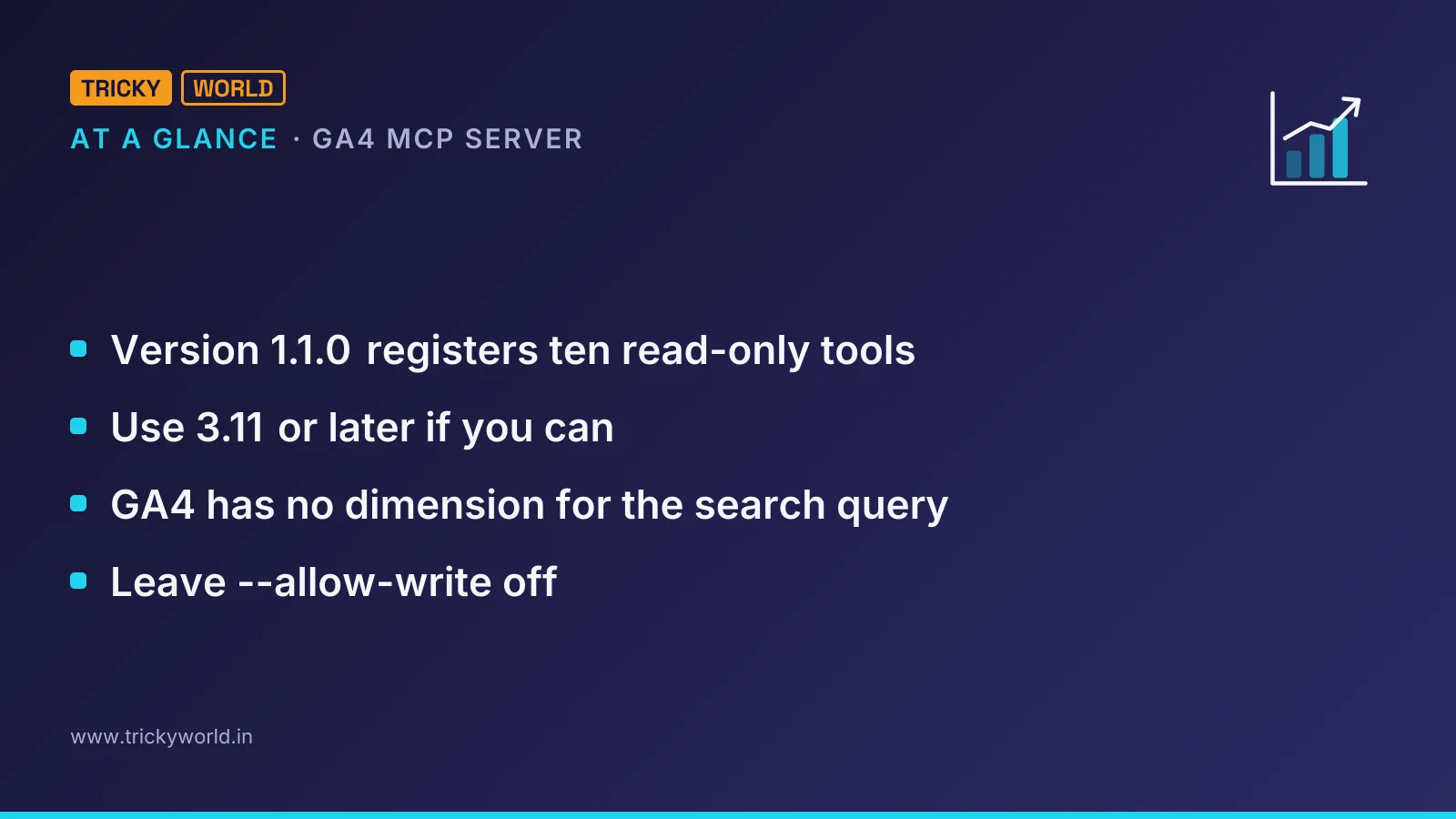
Version 1.1.0 registers ten read-only tools. The table shows what each one is for in an SEO audit.
Tool | API | What an SEO audit uses it for |
|---|---|---|
get_account_summaries | Admin | Finding the property ID to report on. |
get_property_details | Admin | The property's settings, such as its default currency. |
list_property_annotations | Admin | Notes on the timeline, such as a migration or an algorithm update. |
list_key_events | Admin | Which events count as conversions. |
list_google_ads_links | Admin | Which Google Ads accounts are linked to the property. |
get_custom_dimensions_and_metrics | Data | Custom fields such as author or article type. |
run_report | Data | Landing pages, channels, devices and date comparisons. |
run_conversions_report | Data | Key events by landing page or channel. |
run_funnel_report | Data | Where organic visitors drop out. |
run_realtime_report | Data | Checking that tracking works after a release. |
Three more tools change settings: create_property_annotation, create_custom_dimension and create_key_event. They stay switched off unless you start the server with --allow-write. Google's developer guide still lists nine tools and calls the server read-only; the release notes show --allow-write arriving in 0.8.0 and the custom dimension and key event tools in 1.1.0.
Connect the GA4 MCP server in five steps
The setup follows Google's MCP guide and the project's README on GitHub. You need a Google Cloud project, and at least the Viewer role on the Analytics property.
Step 1: Install Python and pipx
The package needs Python 3.10 or newer, plus pipx or uv to run it. Use 3.11 or later if you can. On Python 3.10, Google's client libraries print a warning that they will get no further updates for that version.
Install pipx from your package manager, then check that the server starts:
python3 --version
pipx run analytics-mcp --help
Step 2: Enable the two Analytics APIs
The server calls both the Admin API and the Data API, so the project needs both switched on:
gcloud services enable analyticsadmin.googleapis.com analyticsdata.googleapis.com --project=YOUR_PROJECT_IDStep 3: Sign in with read-only credentials
The server uses Application Default Credentials. Google's guide signs in with two scopes, the read-only Analytics scope and the cloud-platform scope:
gcloud auth application-default login \
  --scopes https://www.googleapis.com/auth/analytics.readonly,https://www.googleapis.com/auth/cloud-platform
Copy the path gcloud prints after "Credentials saved to file". Every client config below needs it, written out in full: Google's guide warns that many MCP hosts don't expand ~ or $HOME inside JSON.
For a shared machine, I'd rather sign in as a service account that has Viewer on one property only. The README does that with --impersonate-service-account=SERVICE_ACCOUNT_EMAIL and the same scopes.
Step 4: Connect the GA4 MCP server to your agent
In Claude Code, one command adds the server for every project. The server name comes first, then the environment variables, then -- and the command that starts it:
claude mcp add analytics-mcp \
  --scope user \
  -e "GOOGLE_APPLICATION_CREDENTIALS=PATH_TO_CREDENTIALS_JSON" \
  -e "GOOGLE_CLOUD_PROJECT=YOUR_PROJECT_ID" \
  -- pipx run analytics-mcp
In Cursor, Google's guide adds the server to .cursor/mcp.json in the project, or to ~/.cursor/mcp.json for every project:
{
  "mcpServers": {
    "google-analytics-mcp": {
      "command": "uvx",
      "args": ["--from", "analytics-mcp", "google-analytics-mcp"],
      "env": {
        "GOOGLE_APPLICATION_CREDENTIALS": "PATH_TO_CREDENTIALS_JSON",
        "GOOGLE_CLOUD_PROJECT": "YOUR_PROJECT_ID"
      }
    }
  }
}
The Cursor MCP documentation also accepts ${userHome} and ${env:NAME} in these fields, which saves hard-coding your home folder. Desktop apps often don't inherit your shell's PATH, so if Cursor can't find uvx, put the full path that which uvx prints.
Google's guide now calls Gemini CLI deprecated, and the Gemini CLI documentation says Antigravity CLI replaced it on 18 June 2026 for unpaid-tier and Google One users. For Antigravity, the same entry goes in ~/.gemini/config/mcp_config.json:
{
  "mcpServers": {
    "analytics-mcp": {
      "command": "pipx",
      "args": ["run", "analytics-mcp"],
      "env": {
        "GOOGLE_APPLICATION_CREDENTIALS": "PATH_TO_CREDENTIALS_JSON",
        "GOOGLE_CLOUD_PROJECT": "YOUR_PROJECT_ID"
      }
    }
  }
}
If you still use Gemini CLI, the README's entry has the same shape and lives in ~/.gemini/settings.json.
Step 5: Check that the agent can see your property
Type /mcp in Claude Code or Antigravity CLI to see whether the server connected. Then ask the README's first sample question, "what can the analytics-mcp server do?", and follow it with a request for your account summaries. If the property you expect is missing, the account you signed in with most likely lacks the Viewer role on it.
If MCP itself is new to you, our walkthrough on connecting FilmCraft to Claude Code with MCP covers the same approval prompts with another server.
Run an organic-traffic audit with the GA4 MCP server
An audit is a handful of run_report calls plus judgement. The tool's own description tells the agent to write field names in snake_case, because it builds the request from the Data API's protocol buffers. Here is the main call, organic landing pages over the last 28 days against the 28 before:
{
  "property_id": "123456789",
  "date_ranges": [
    {"start_date": "28daysAgo", "end_date": "yesterday", "name": "last_28"},
    {"start_date": "56daysAgo", "end_date": "29daysAgo", "name": "previous_28"}
  ],
  "dimensions": ["landingPage"],
  "metrics": ["sessions", "engagementRate", "keyEvents"],
  "dimension_filter": {
    "filter": {
      "field_name": "sessionDefaultChannelGroup",
      "string_filter": {"match_type": 1, "value": "Organic Search"}
    }
  },
  "order_bys": [{"metric": {"metric_name": "sessions"}, "desc": true}],
  "limit": 50,
  "return_property_quota": true
}
A match_type of 1 means an exact match on the channel name.
Setting return_property_quota makes the response report how much of the property's quota the call used.
Rather than typing that each week, save the audit as ga4-seo-audit.md, a prompt the agent can follow. This is the one I'd start with; change the property ID and thresholds to suit your site:
# GA4 organic audit (read-only)
Property: 123456789. Use only read tools. Never call a create_ tool.

1. Organic Search landing pages, last 28 days vs the previous 28:
   sessions, engagementRate, keyEvents. List the 10 biggest drops in sessions.
2. Organic landing pages with 100+ sessions and an engagementRate
   at least 0.15 below the site's organic average.
3. Organic landing pages with 100+ sessions and zero keyEvents.
4. For the 5 biggest drops, split sessions by deviceCategory.
5. Note: engagementRate is a fraction (0.72 = 72%).

Output: one table per check, then the three pages to fix first and why.
Say which numbers GA4 can't give (search queries, rankings).
Because it is a file, the audit can run without you.
In Claude Code's dontAsk permission mode, every tool call that would otherwise prompt you is denied. Here the only Analytics tools allowed are two report readers, so the run can read your data but can't change it:
claude -p "$(cat ga4-seo-audit.md)" \
  --permission-mode dontAsk \
  --allowedTools "mcp__analytics-mcp__get_property_details mcp__analytics-mcp__run_report" \
  > "reports/ga4-audit-$(date +%F).md"
MCP tools are named mcp__<server>__<tool> in these rules. Put the command in a weekly cron job, with full paths, and every Monday starts with a dated report.
What can the GA4 MCP server see, and what can't it?
The biggest gap for SEO: GA4 has no dimension for the search query. The Data API schema lists four Search Console metrics, organicGoogleSearchClicks, organicGoogleSearchImpressions, organicGoogleSearchClickThroughRate and organicGoogleSearchAveragePosition. Each one carries the same note: "This metric requires an active Search Console link."
Even with the link, the numbers stay coarse. Google's help page on connecting Search Console to Analytics says those metrics combine only with Search Console dimensions and with landing page, device and country. The data arrives 48 hours after Search Console collects it and covers at most 16 months. So the agent can tell you a page lost organic sessions, but not which query slipped. For that you still need Search Console itself.
Quotas are the second limit, though an audit barely touches them. The Data API quota page gives these core limits for a standard property:
Core quota, standard property | Limit |
|---|---|
Tokens per property per day | 200,000 |
Tokens per property per hour | 40,000 |
Tokens per project per property per hour | 14,000 |
Concurrent requests per property | 10 |
Google says most requests charge 10 or fewer tokens, so a weekly audit of a dozen reports is nowhere near the ceiling. A runaway agent looping over every page path is another matter: when any bucket hits zero, the API answers 429 RESOURCE_EXHAUSTED until it refills.
The third cost is context. The ten tool definitions come to 59,182 characters, most of it the hints for the four report tools. A client that loads every MCP tool up front spends that much of the model's context before it runs a single report.
Keep the agent read-only
Leave --allow-write off. The write tools need both the flag and the analytics.edit scope, and creating a key event also needs the Marketer or Editor role. I'd keep it that way: an agent that can mark events as conversions can quietly change what your reports count. Without the flag, the server requests only the analytics.readonly scope.
Keep the client's confirmations on, too. In Gemini CLI, "trust": true bypasses every tool confirmation for a server, and Cursor asks for approval before each MCP tool unless you change its run mode. For an audit, approving reads once a week is no burden.
Treat what comes back as data, not instructions. Page paths, referrers and campaign names are filled in from the addresses visitors arrive with. In my view, a crafted value could carry text aimed at your agent. We covered the same trick with a file in a Downloads folder that tried to trick coding agents into installing malware; a read-only server limits what such text can make the agent do.
Which agent to run it from
For scheduled audits I'd use Claude Code, because print mode, permission rules and cron make the run repeatable. For a quick question while you're editing templates, Cursor keeps the answer next to the code. Antigravity is the natural choice if your team has already moved off Gemini CLI.
Whichever you pick, keep the agent's output a draft that a person reads, the way our draft-only Claude Code SEO workflow does. Start with check 1 from the audit prompt. Compare its table with the GA4 interface once, by hand, and only then let the cron job run unattended.
Frequently asked questions
Can a whole team share one GA4 MCP server?
Yes, since version 1.0.0. The README runs it as a Streamable HTTP service with --transport http --stateless-http, and adding --oauth turns on a built-in OAuth 2.1 server that proxies Google sign-in. That provider keeps client registrations and refresh tokens in process memory, so run a single instance or use sticky sessions; a restart means signing in again.
Why does the agent get 403 PERMISSION_DENIED from Analytics?
Google's guide lists three causes: one of the two Analytics APIs isn't enabled in the project named in GOOGLE_CLOUD_PROJECT, the account lacks the Viewer role on the property, or the login is missing a scope. For "Request had insufficient authentication scopes", run the gcloud login again with both scopes. For 403 ACCESS_NOT_CONFIGURED, set GOOGLE_CLOUD_PROJECT or run gcloud auth application-default set-quota-project YOUR_PROJECT_ID.
Do Analytics 360 properties get higher quotas?
Yes. The Data API quota page gives 360 properties ten times the standard core limits: 2,000,000 tokens per property per day, 400,000 per hour and 140,000 per project per property per hour. They also get 50 concurrent requests instead of 10.
What are Google's Analytics agent skills?
Google's MCP guide lists them as an optional extra next to the server: instructions that help an agent work with Analytics, installed with npx skills add google/skills/skills/analytics. The command needs Node.js.

About the author
Vishal · Software & security engineerVishal writes Trickyworld's tutorials and interview-preparation guides on programming, databases, cyber security and AI. Vishal has been shipping production software long enough to have firm opinions about Python, PHP, Node.js, and JavaScript, and to have been wrong about each of them at least once. The work has run the whole stack: Drupal and Laravel applications, React front ends, MySQL and MongoDB underneath, Redis and Memcached for the things that had to be fast, Apache Solr for the things that had to be findable. That last part turned out to matter more than anyone expected. Tune a Solr index for a season, then watch a language model confidently retrieve the wrong document, and you recognise an old problem wearing new clothes. Most of what is hard about AI systems is not the model. It is retrieval, caching, latency budgets, and deciding what the system does when the answer comes back wrong — which is work he has been doing since well before anyone called it AI engineering. He plays a lot of games, which is less a hobby disclosure than an admission of where a good share of his engineering instinct came from. Real-time systems with a frame budget. State that has to stay coherent while a player does something no designer anticipated. The permanent question of what happens when the frame cannot finish in time. Those habits carry over more directly than they have any right to. He has written several books on programming, all built on the same conviction: most technical writing is unclear because the author never decided what to leave out. More from Vishal → · Editorial policy