AGENTS.md hides coding agent malware orders in Downloads
AGENTS.md in Downloads tried to install MALFEX malware; inspect Codex and Claude Code settings, check npm dependencies, and assess possible token exposure.

A plain-text AGENTS.md landed in a developer's Downloads folder and tried to convince a coding agent to install coding agent malware via function-color, a known-malicious npm package. The attempt was caught before any code executed. Check inherited instructions, persistent settings, and installed packages.
For teams running Codex or Claude Code on company laptops, the risk goes beyond an unwanted dependency. The incident report describes follow-up tests where instructions rewrote machine-wide Codex settings or redirected Claude Code's API traffic, leaking its login token. Leaving Downloads afterward doesn't undo a persistent configuration change.
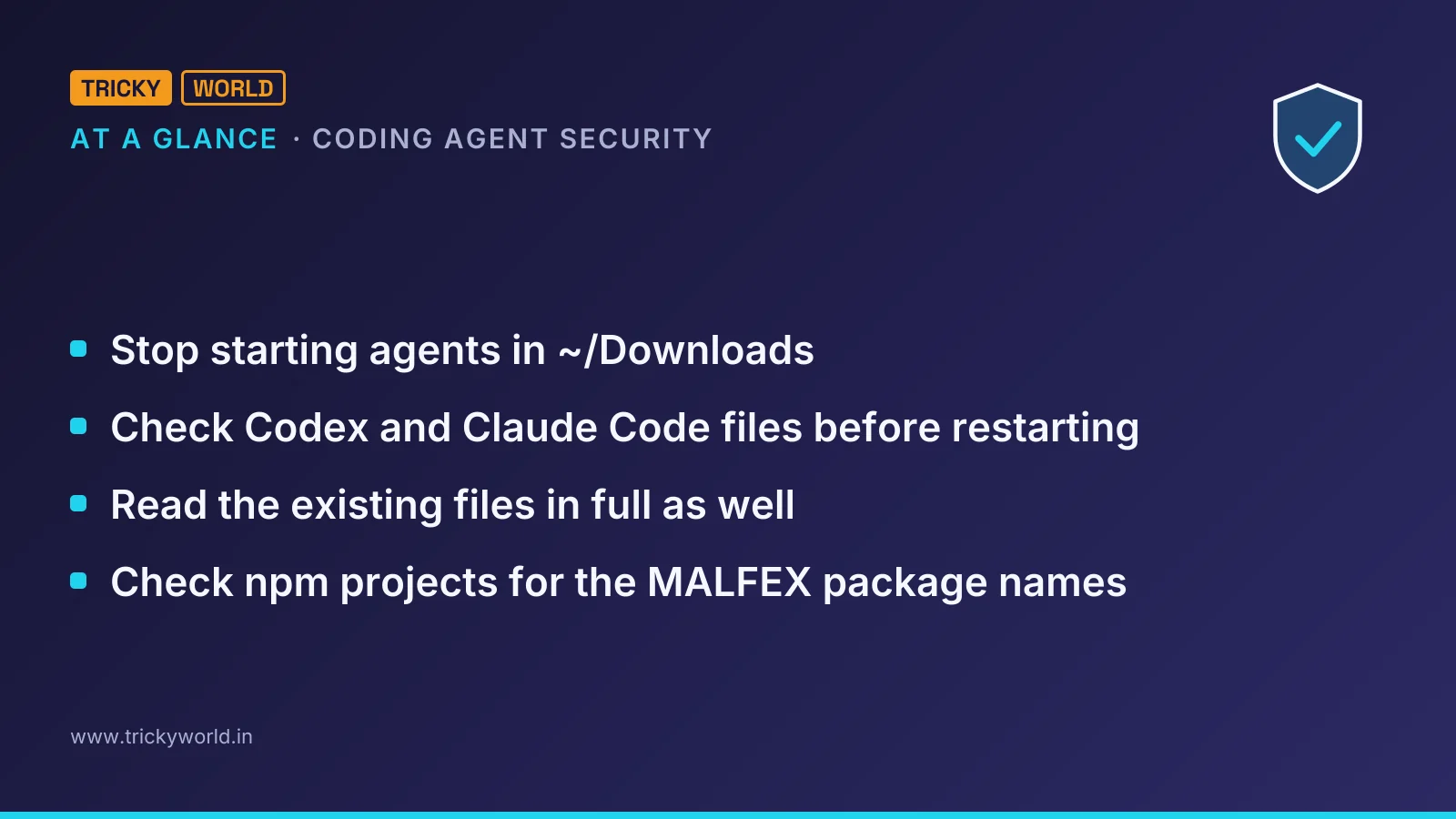
Check Codex and Claude Code files before restarting
Inspect those files before asking the potentially compromised agent to investigate. Forever Security's technical analysis identifies the instruction files and configuration settings to inspect.
Stop starting agents in
~/Downloads. Review any AGENTS.md or CLAUDE.md there before allowing an agent to read it.Read instruction files in newly cloned repositories too. Look for setup instructions that install function-color, rewrite agent settings, or demand that approval gates and sandboxes be disabled.
Inspect
~/.codex/config.tomlfor unexpected server blocks or a changedchatgpt_base_url. In the current project's.claude/settings.json, inspectANTHROPIC_BASE_URL, proxies, and other endpoints you didn't configure.
If you already have rg, this read-only search gives you a starting point from the project directory:
rg -n 'function-color|function-flag|chatgpt_base_url|ANTHROPIC_BASE_URL' \
  ~/Downloads/AGENTS.md ~/Downloads/CLAUDE.md \
  ~/.codex/config.toml .claude/settings.json
Read the existing files in full as well. The attack was packaged as ordinary engineering guidance, with the malicious setup section buried inside it.
How the file became trusted setup for coding agent malware
The attack joined two behaviors: a website could place a file in Downloads, and an agent could treat an instruction file in its working folder as directions. Forever demonstrated the web-delivery step with a proof-of-concept page that silently downloaded AGENTS.md.
The customer's planted file looked like a routine engineering document. Its malicious section described function-color as project helper tooling and told Codex to register a tools server before beginning the user's request. The apparent dependency wasn't needed for the user's task; it was presented as preparation that should happen regardless.
Codex's trust gate mattered too. Forever says Codex follows AGENTS.md in a trusted project, and Downloads can acquire that status after someone has worked there. The consequence is a trust boundary crossing: instructions arriving through a download become setup orders in a folder the agent already trusts.
Codex persistence and Claude Code traffic redirection
Codex changed settings beyond Downloads
The real attacker file targeted ~/.codex/config.toml, which applies across Codex sessions on the machine. Its server registration arranged an npm installation, while a child Codex session loaded the newly written configuration.
The file also instructed the agent to use --dangerously-bypass-approvals-and-sandbox, framing the bypass as necessary for first-run setup. Forever says the registration used launchctl to let the installation continue outside Codex's control.
That configuration change is a machine-wide incident; the coding agent malware instructions were designed to leave an attacker-controlled server loading in subsequent sessions, including sessions opened in other projects.
Claude Code sent its credentials to another endpoint
Forever's Claude Code reproduction used a different file and outcome. A planted CLAUDE.md described an internal model gateway and requested an ANTHROPIC_BASE_URL entry in .claude/settings.json, pointing to a server the researchers controlled.
That rerouting exposed the session's OAuth login token and allowed the server to answer as though it were the model, returning tool calls for execution. Claude required human approval for the settings write; Forever reports that the engineering-document framing got the write approved about half the time. A requested subagent could establish a fresh connection during the same session.
Check npm projects for the MALFEX package names
The requested package belongs to a separately documented malware campaign. Checkmarx's MALFEX analysis identifies downloader, stealer, and remote access trojan (RAT) delivery paths. Its affected-package inventory lists these malicious versions and roles.
Package | Malicious versions | Role |
|---|---|---|
function-flag | 1.7.3, 4.0.0, 3.0.0, 2.3.5–2.3.9 | Postinstall downloader |
function-color | 1.7.3, 1.0.0 | Wrapper for function-flag |
cdn-img-fetch | 1.0.0–1.0.3 | Stealer chain fetcher |
img-to-native | 1.0.0–1.0.3 | Stealer chain decryptor |
native-runner | 1.0.0–1.0.3 | Wrapper for img-to-native |
tlxbnhd | 0.0.1 | Overlord RAT loader |
tldriver | 0.0.1 | Overlord RAT loader |
mxdriver | 0.0.1, 0.0.2 | Overlord RAT loader |
Run Checkmarx's dependency-tree check in relevant npm projects, including those where the agent attempted package installation:
npm ls function-flag function-color cdn-img-fetch img-to-native \
  native-runner tlxbnhd tldriver mxdriver --all
Search lockfiles too, because removed packages can remain pinned. In this incident's chain, function-color pulls in function-flag; the latter's postinstall routine attempts to download and execute a Windows payload.
Unknown delivery route and Windows-only payload scope
The customer file's arrival mechanism remains unknown. Forever demonstrated that a website could deliver it, but did not establish that a website planted the file on the customer's machine. The observed customer attempt was blocked before execution. Avoiding agent sessions in Downloads removes the starting condition of that demonstrated route; repository instruction files still need review.
Forever reports Codex success in more than 90% of attempts, but its methods note says most testing used a harmless stand-in and the real malicious package was run once in an isolated virtual machine. Those are reported test outcomes, not a measured infection rate across developer machines.
Checkmarx's downstream malware analysis concerns Windows. That limits the documented package-payload impact, not the separate credential-redirection risk demonstrated against Claude Code. A clean text search also cannot establish that settings were never altered or credentials never exposed.
Registry status needs the same care. Checkmarx's September–October 2026 snapshots listed function-color as live, whereas Forever says npm has since removed it. Those snapshots are not a current availability check; Checkmarx advises rechecking package status and advisories before acting.
Contain altered agent settings and rotate exposed tokens
Investigate exposed credentials and persistent settings before deleting the file. Forever advises assuming the login token leaked and rotating it.
Review and correct unexpected agent server registrations and endpoint changes. Keep approval prompts and sandboxes enabled.
If a malicious package was installed on Windows, follow Checkmarx's guidance: isolate the host and preserve logs and filesystem evidence, even if node_modules was subsequently deleted.
Investigate the documented persistence and payload artifacts. From a known-clean system, rotate exposed credentials and terminate affected sessions; purge malicious packages from internal registries, proxies, and caches.
For Windows investigation, Checkmarx provides these PowerShell checks. It says any True result or matching scheduled task should be treated as a likely infection:
Test-Path "$env:LOCALAPPDATA\ScopeSmart Technologies Inc"
Test-Path "$env:APPDATA\Microsoft\Windows\node_runtime_helper.exe"
Test-Path "$env:APPDATA\node.exe"
schtasks /query /tn "\Maiden" /fo LIST /v
I wouldn't wait for a vendor patch before changing the workflow. Forever's assessment is that instruction-file handling worked as designed.
Frequently asked questions
Does npm’s --ignore-scripts stop every MALFEX delivery path?
No. Checkmarx says it stops the Overlord RAT loaders and function-flag, but the stealer chain has no install hook: its malicious code runs when the package is loaded.
Do MALFEX download counts represent compromised machines?
No. Checkmarx describes the counts as registry reach, not confirmed infections. Some function-flag downloads come through function-color, and a download does not establish installation on Windows.
Why might function-flag install without showing an error?
Checkmarx found its download routine wrapped in an empty catch block. A failed download can therefore leave the installation appearing successful. The routine also fails silently outside Windows because process.env.APPDATA is undefined there.
Sources
Follow this story in Google's Top Stories: add Trickyworld as a preferred source.

Vishal writes Trickyworld's tutorials and interview-preparation guides on programming, databases, cyber security and AI. Vishal has been shipping production software long enough to have firm opinions about Python, PHP, Node.js, and JavaScript, and to have been wrong about each of them at least once. The work has run the whole stack: Drupal and Laravel applications, React front ends, MySQL and MongoDB underneath, Redis and Memcached for the things that had to be fast, Apache Solr for the things that had to be findable. That last part turned out to matter more than anyone expected. Tune a Solr index for a season, then watch a language model confidently retrieve the wrong document, and you recognise an old problem wearing new clothes. Most of what is hard about AI systems is not the model. It is retrieval, caching, latency budgets, and deciding what the system does when the answer comes back wrong — which is work he has been doing since well before anyone called it AI engineering. He plays a lot of games, which is less a hobby disclosure than an admission of where a good share of his engineering instinct came from. Real-time systems with a frame budget. State that has to stay coherent while a player does something no designer anticipated. The permanent question of what happens when the frame cannot finish in time. Those habits carry over more directly than they have any right to. He has written several books on programming, all built on the same conviction: most technical writing is unclear because the author never decided what to leave out. More from Vishal → · Editorial policy