AI crawlers vs AEO: what Claude and Gemini fetch
Claude and Gemini reach a site in two ways: crawlers that index or collect pages, and fetches a person triggers mid-chat. A request is Anthropic's or Google's only when its address is on their published lists or, for Google, passes a reverse and forward DNS check. Behind a CDN, the server log misses cached requests, so edge analytics give the full volume.

AI crawlers are the part of AEO most people check, but Claude and Gemini also read pages through fetches a person triggers mid-chat. I looked at which requests Anthropic and Google send, how to prove each one is real, and what Claude Code actually read from a Trickyworld page.
Which bots do Claude and Gemini send?
Anthropic sends ClaudeBot to gather possible training data, Claude-SearchBot for its search index and Claude-User when a person asks Claude to open a page; Gemini grounds answers in Google's Search index and fetches pages users name. Googlebot builds that index, and the fetchers act only when someone points Gemini at a page.
Two newer visitors act for a person rather than just read. Claude-Agent is a real browser on Anthropic's servers that does tasks for users of Claude Duet, a waitlisted agent for US subscribers. Google-Agent is what agents hosted on Google's infrastructure use to browse and take actions for a user. Both name themselves in the user agent, and both operators publish the addresses this traffic comes from.
In your log | What it does | Check it against |
|---|---|---|
ClaudeBot | Collects pages for training | Anthropic's bots.json |
Claude-SearchBot | Indexes pages for Claude's search | Anthropic's bots.json |
Claude-User | Opens a page a Claude user asked for | Anthropic's bots.json |
Claude-User (claude-code/…) | Claude Code, from the developer's own connection | Nothing: it can't be checked |
Claude-Agent | Hosted browser doing a user's task | Anthropic's SAIL file |
Googlebot | Crawls for Search, AI Overviews and AI Mode | common-crawlers.json |
Gemini opening a page (observed) | Reverse DNS | |
Google-Lens | AI Mode opening a page (observed) | user-triggered-fetchers-google.json |
Google-Agent | Google-hosted agent acting for a user | user-triggered-agents.json |
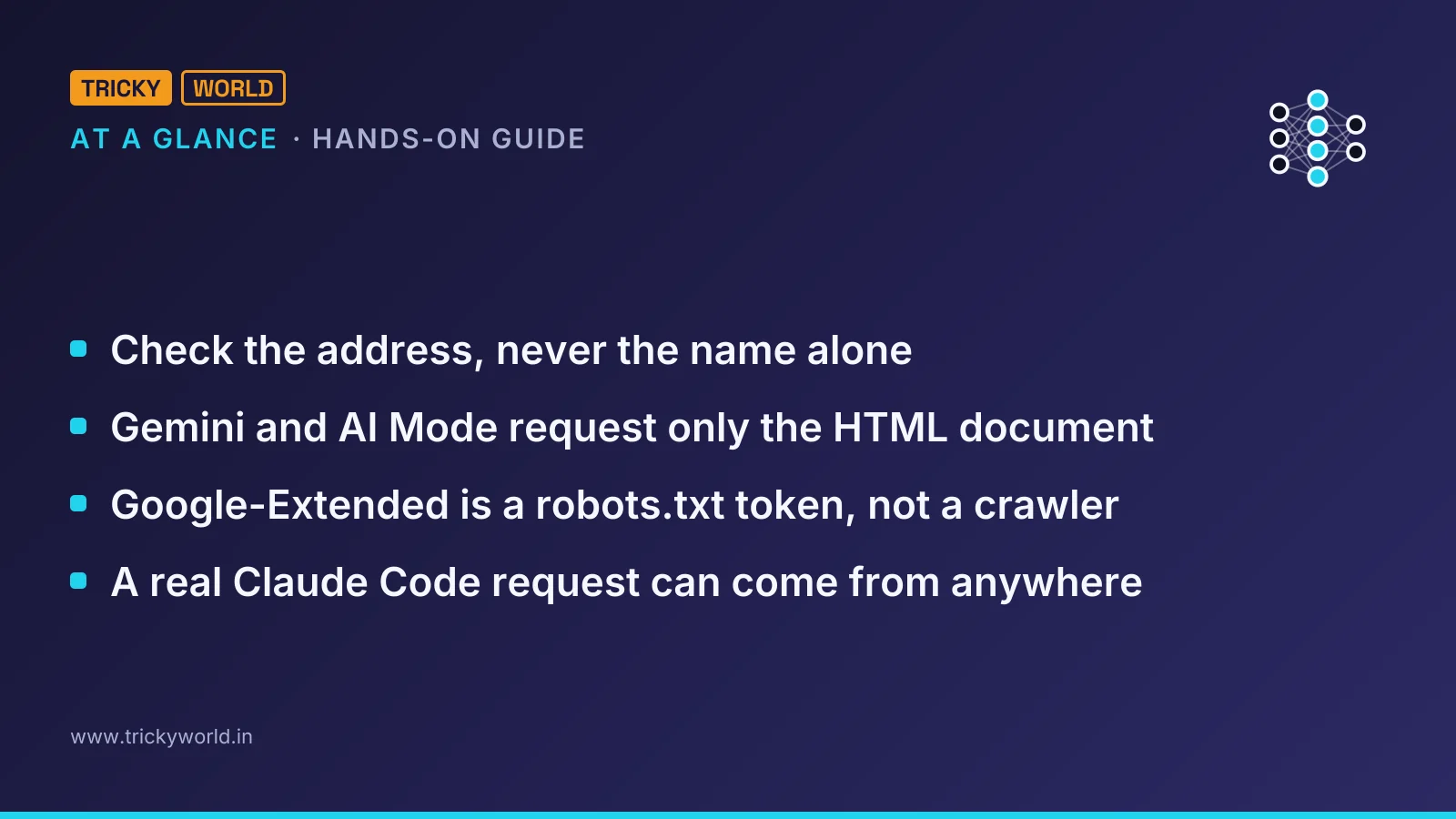
The table leaves out Google-Extended on purpose. Google-Extended is a robots.txt token, not a crawler. Google says it has no user agent of its own. It decides whether pages Google crawls may train Gemini or ground its answers in the Gemini app.
The bare Google and Google-Lens rows come from Dave Smart of Tame the Bots. In a 3 November post, he describes asking Gemini and AI Mode to open URLs with made-up query strings. He then found the requests in his logs under those two names. Neither name appears in Google's documentation, so treat them as observations that may change.
Why AEO advice misses agent traffic
Most AEO checklists optimise for a crawler that indexes a page today and a model that quotes it later. Agent traffic works differently: a fetch happens at the moment a person asks, and it reads one HTML page.
For Google's AI features, the indexing half needs nothing new. Google's guide to AI features and your website says AI Overviews and AI Mode have no extra requirements. You don't need new machine-readable files, AI text files or special schema markup. Access is controlled by robots.txt rules for Googlebot, and what appears by snippet controls such as nosnippet.
The fetch half is where pages win or lose. Smart saw Gemini and AI Mode request only the HTML document, with no scripts, stylesheets or images, so text your page builds with JavaScript wouldn't reach them. Trickyworld renders its articles on the server, so the full text is in that first response.
I tested Claude's side by asking Claude Code to fetch httpbin.org's header-echo page, then a Trickyworld article. This is the request it sent:
"Accept": "text/markdown, text/html, */*",
"User-Agent": "Claude-User (claude-code/2.1.322; +https://support.anthropic.com/)"
It asks for Markdown first and settles for HTML. From the article it returned the "In short" summary under the headline, the byline and date, the body and the FAQ. The two JSON-LD blocks in the page's HTML weren't in what it read. For Claude Code, the summary under the headline is the first article text it reads, and the structured data doesn't reach it at all.
The same goes for llms.txt. Google's guide doesn't name it, but it is exactly the kind of AI text file the guide says you don't need. Trickyworld publishes one anyway, marked noindex so it never shows up in search. It costs nothing, and the report counts the fetches of it that reach your server.
How to find AI crawlers in your access log
Your web server's access log already records every request that reached it, user agent included. The work is naming each bot and checking that it is real, so I wrote a small script for both, ai_crawl_report.py on GitHub.
It is one Python file that needs Python 3.10 or newer and nothing else. It reads Apache or Nginx logs in the usual "combined" format, plain or gzipped. It recognises more than 30 AI crawlers and agents from Anthropic, Google, OpenAI, Perplexity, Microsoft and others.
git clone https://github.com/vishal1610kamal/trickyworld_ai_crawler_log.git
cd trickyworld_ai_crawler_log
python3 ai_crawl_report.py --update-ranges
The last command downloads 15 IP lists: Anthropic's two, Google's five, OpenAI's four, Perplexity's two, Bing's and Cloudflare's. Refresh them before each report, because operators add addresses.
How to run it without giving a script root
Let root read the logs and run the script as yourself. On Ubuntu, only root and the adm group can read Apache's logs. A script running as root is one more file an attacker could change:
sudo zcat -f /var/log/apache2/www_trickyworld_access.log* \
  | python3 ai_crawl_report.py - --sitemap https://www.trickyworld.in/post-sitemap-recent.xml --no-ips
zcat -f reads the live log and the rotated .gz files alike. --sitemap adds a freshness table, and --no-ips hides every address, so the output is safe to paste into a ticket or a chat.
How to tell a real ClaudeBot from a fake one
Check the address, never the name alone. Anyone can put "ClaudeBot" in a user agent. A request is Anthropic's only when its IP is on Anthropic's published list, and Google's only when its IP or its reverse DNS checks out.
Anthropic's list is new. In February its help page said it didn't publish IP ranges; the current version links claude.com/crawling/bots.json, created on 20 October, with 14 entries. Anthropic's crawler page puts it plainly: an address on the list means the crawler is Anthropic's. Claude-Agent's addresses sit in a separate SAIL file, nine of them in the 22 October version.
Google publishes five files and also documents a DNS check. The method has three steps. Look up the address and check that the name ends in googlebot.com, google.com or googleusercontent.com. Then look the name up and confirm it returns the same address.
The DNS step matters more than it looks. I checked the address in Smart's Gemini screenshot, 108.177.64.103, against all five of Google's files dated 12 November. It isn't in any of them, only in Google's general address list. Yet DNS shows it is Google's:
$ host 108.177.64.103
103.64.177.108.in-addr.arpa domain name pointer rate-limited-proxy-108-177-64-103.google.com.
$ host rate-limited-proxy-108-177-64-103.google.com
rate-limited-proxy-108-177-64-103.google.com has address 108.177.64.103
A list-only check would have called a real Gemini fetch fake. The script falls back to this DNS check for Google agents missing from the files. One Google file needs the opposite care. Addresses in user-triggered-fetchers.json serve apps that Google Cloud customers run, so a "Googlebot" from one of them is someone's cloud server, and the report labels it that way.
Two cases have no answer at all. Claude Code's fetch left from my own internet connection, an address on no list, so a real Claude Code request can come from anywhere. And a user agent that contains "Google-Extended" is always fake, because Google never sends that token.
Why your log undercounts AI crawlers behind a CDN
Your log misses every request the CDN answers from its cache. Trickyworld's pages stay in Cloudflare's cache for an hour, so every count the report gives is a floor.
Two settings decide whether the log is usable at all. The server must record the visitor, not Cloudflare: Trickyworld's Apache config takes the address from Cloudflare's CF-Connecting-IP header, trusting it only from Cloudflare's own ranges. Without that, every request shows a Cloudflare address, nothing verifies, and the script prints a warning.
For volumes, use the edge. Cloudflare's AI Crawl Control counts requests per crawler, status codes and popular paths on every plan. It counts at the edge, where cached copies are served. Referral counts need a paid plan. The log still answers what the dashboard can't: whether a "ClaudeBot" was real, and exactly which request reached you.
The cache is also why probe URLs need a made-up query string. Cloudflare keeps a separate cached copy for each query string, so a new one always reaches the server.
How to control each AI crawler without leaving AI search
Name each crawler in robots.txt by its own token: training and search have separate ones. Blocking ClaudeBot opts your future pages out of Anthropic's training and leaves Claude-SearchBot and Claude-User free to keep you in Claude's answers.
User-agent: ClaudeBot
Disallow: /

User-agent: GPTBot
Disallow: /
Google-Extended needs more thought. Its rule covers Gemini training and grounding in the Gemini app, so blocking it also stops the Gemini app grounding its answers on your pages. AI Overviews and AI Mode follow Googlebot alone, and Google-Extended changes nothing in Search.
A shared training token is arriving too. An Internet-Draft by Anthropic's Kevin Kelley, dated 30 October, uses a robots.txt group for the user agent __usage_ai-training to say "no AI training" in one place. Anthropic began recognising it on 30 October and is rolling it out across its services; a group naming ClaudeBot still wins. Google says it intends to support it in early 2027.
Why robots.txt can't stop the fetches users ask for
Fetches a person triggers mostly skip robots.txt. Google says its user-triggered fetchers generally ignore it. In my test, Claude Code fetched httpbin.org/deny, a path httpbin's robots.txt disallows for every user agent.
Blocking those by IP or name has costs. Anthropic warns that blocking its addresses may not work as an opt-out, because it stops Anthropic reading your robots.txt. Name rules misfire too: Smart mentions a client whose firewall flagged the bare "Google" user agent just for being so short. And every blocked fetch is an answer your page isn't in. Trickyworld blocks no AI agent: its robots.txt names none, and Cloudflare's AI Crawl Control is set to allow all of them.
How to check your own site this week
Run the report weekly to see which AI crawlers reach you, and compare it with your CDN's dashboard. Five checks cover what matters:
Refresh the IP lists, run the report and read the suspects first. A fake bot hammering login pages is a security problem, not an AEO one.
Confirm that the trusted agents get 200s and 304s, not 403s from a firewall rule you forgot.
Open an important page with
curland check that the text is in the HTML, because Gemini and AI Mode fetch nothing else.Run a probe: ask Claude and Gemini to open a page with a unique query string, then search the log with
--probe.Count what comes back from AI answers. In GA4, sessions with a source such as claude.ai or chatgpt.com are AI referrals; an AI agent connected to GA4 can pull them into a weekly report.
Building agents rather than receiving them? The agentic AI guide covers the fetch-and-check loop from the other side. The Claude Code SEO agent shows one doing SEO work that a person still approves.
Frequently asked questions
Does Claude in Chrome show up as a bot in my logs?
Not under a bot name. Claude in Chrome works inside the user's own Chrome, so its page loads come from that browser and that person's connection. Anthropic documents a marker only for browsers it hosts itself, which add the Claude-Agent token to their user agent.
Is Google-Agent the same as Gemini's auto browse in Chrome?
Google doesn't say. Auto browse runs either in your local Chrome, where its requests look like your own visits, or in a remote browser in Google's cloud. Google describes Google-Agent only as the user agent of agents hosted on Google infrastructure.
Can Cloudflare serve Markdown to AI agents on the Free plan?
No. Cloudflare's Markdown for Agents converts a page's HTML to Markdown when a request's Accept header asks for text/markdown, as Claude Code's does. It's available on the Pro, Business and Enterprise plans and to SSL for SaaS customers, at no extra cost.
How often should the IP lists be refreshed?
Before every report, and every hour if a firewall rule depends on them. Anthropic's SAIL file for Claude-Agent says it expires after 3,600 seconds, and Google's crawler files carried the previous day's date when they were downloaded for this test.
Sources
- Write-upDoes Anthropic crawl data from the web, and how can site owners block the crawler? (Claude Help Center) · support.claude.com
- Write-upHow do Anthropic-hosted browsers identify themselves when they browse the web on a user's behalf? (Claude Help Center) · support.claude.com
- DocumentationVerify requests from Google crawlers and fetchers (Google Crawling Infrastructure) · developers.google.com
- DocumentationGoogle user-triggered fetchers (Google Crawling Infrastructure) · developers.google.com

About the author
Vishal · Software & security engineerVishal writes Trickyworld's tutorials and interview-preparation guides on programming, databases, cyber security and AI. Vishal has been shipping production software long enough to have firm opinions about Python, PHP, Node.js, and JavaScript, and to have been wrong about each of them at least once. The work has run the whole stack: Drupal and Laravel applications, React front ends, MySQL and MongoDB underneath, Redis and Memcached for the things that had to be fast, Apache Solr for the things that had to be findable. That last part turned out to matter more than anyone expected. Tune a Solr index for a season, then watch a language model confidently retrieve the wrong document, and you recognise an old problem wearing new clothes. Most of what is hard about AI systems is not the model. It is retrieval, caching, latency budgets, and deciding what the system does when the answer comes back wrong — which is work he has been doing since well before anyone called it AI engineering. He plays a lot of games, which is less a hobby disclosure than an admission of where a good share of his engineering instinct came from. Real-time systems with a frame budget. State that has to stay coherent while a player does something no designer anticipated. The permanent question of what happens when the frame cannot finish in time. Those habits carry over more directly than they have any right to. He has written several books on programming, all built on the same conviction: most technical writing is unclear because the author never decided what to leave out. More from Vishal → · Editorial policy